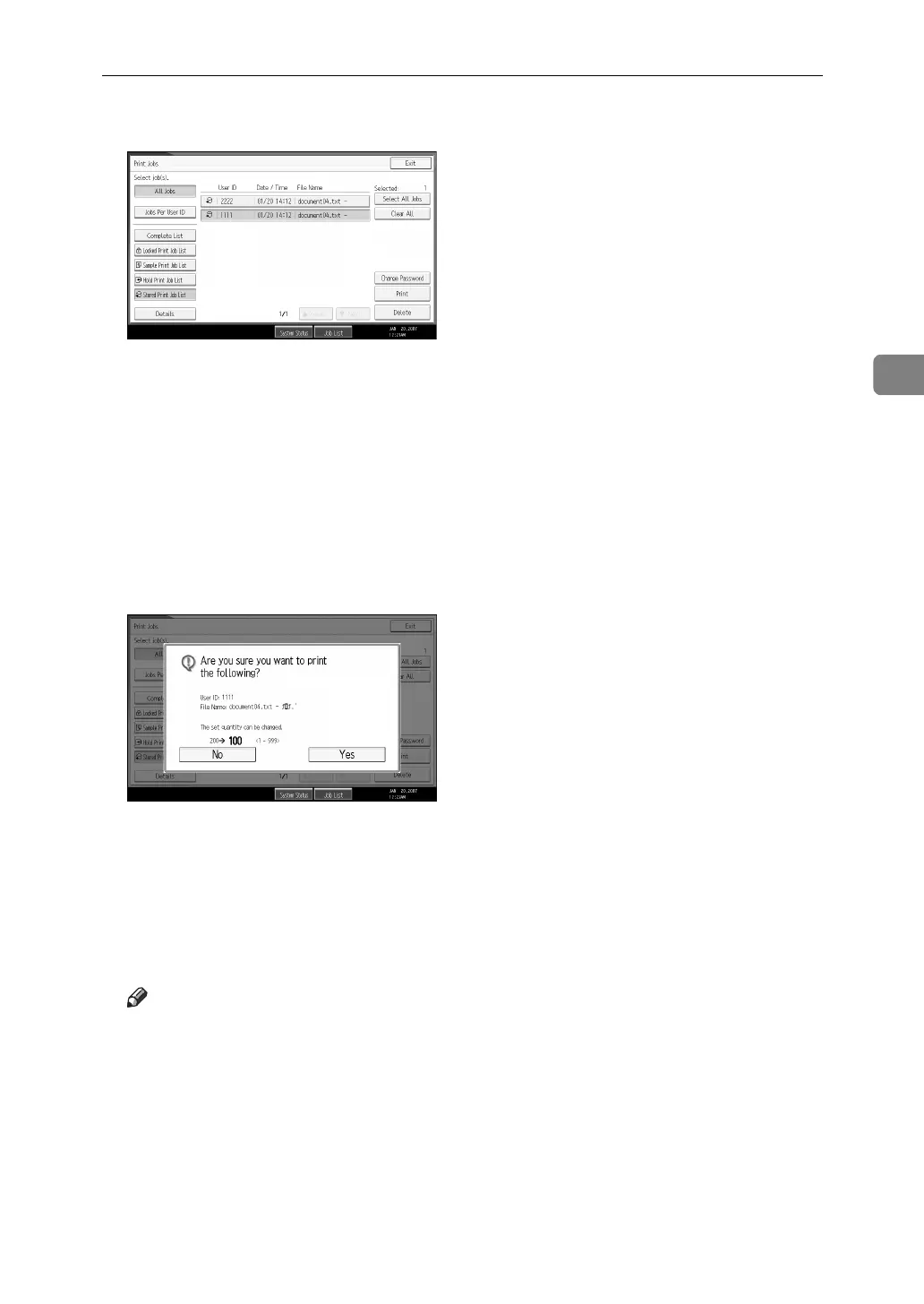
Printing from the Print Job Screen
99
3
G Select the file you want to print, and press [Print].
The confirmation screen appears.
If you set a password in the printer driver, a password confirmation screen
appears. Enter the password.
If multiple print files are selected, and some of these require a password, the
machine prints files that correspond to the entered password and files that do
not require a password. The number of files to be printed is displayed on the
confirmation screen.
If you forget your password, ask your network administrator for help.
H Enter the number of sets using the number keys.
You can enter up to 999 sets.
Press the {Clear/Stop} to correct any entry mistakes.
I Press [Yes].
The Stored Print file is printed.
Press [No] to cancel printing.
Note
❒ If you select multiple files, the confirmation screen displays the total num-
ber of files to be printed.
❒ If you select multiple documents, set numbers are determined based on the
smallest set number specified for a selected document.
❒ When printing accumulated stored print documents, you cannot change
the numbers of sets.
❒ To stop printing after printing has started, press [Exit] until the Printer
screen appears, and then press [Job Reset]. A Stored Print file is not deleted
even if [Job Reset] is pressed.



 To Next Page