EasyManua.ls Logo

SAWTOOTH ST-PKB-61 - User Manual

SAWTOOTH ST-PKB-61
20 pages
Print Icon
To Next Page IconTo Next Page
Loading...
ST-PKB-61
USER’S MANUAL
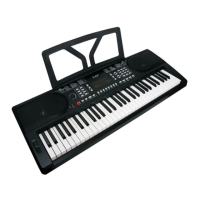
61 KEYS DIGITAL ELECTRONIC KEYBOARD

Questions and Answers

Summary

Safety Warnings and Precautions

General Warnings

Covers essential warnings like avoiding disassembly, handling power cords, and operating with wet hands.

Placement and Handling Cautions

Advises on avoiding humid places, direct sunlight, and proper handling during movement.

Panel Control and External Connections

Panel Control Overview

Details the layout and functions of the keyboard's top panel controls and buttons.

External Connection Ports

Details microphone input and headphone output jacks for external connectivity.

Before Performance

Power Supply Options

Explains how to power the keyboard using either an AC-DC adapter or batteries.

Battery Usage Cautions

Provides important cautions regarding battery types, mixing old/new, and leakage.

Basic Operation

Basic Playing Method

Covers powering on the keyboard and adjusting the master volume.

Voice Selection

Explains how to choose from 300 different instrument voices using buttons.

Effect and Control Overview

Introduces basic effects and controls like Keyboard drum and Sustain.

Effects and Controls

Sustain Effect

Describes how to activate and deactivate the sustain effect for notes.

Vibrato Effect

Explains how to apply the vibrato effect to notes played on the keyboard.

Keyboard Split Function

Details dividing the keyboard for left and right-hand playing with different voices.

Tempo Adjustment

How to adjust the tempo for rhythms, metronome, and demo songs.

Transpose Function

Explains how to shift the keyboard's pitch up or down in semitone intervals.

Fine Tuning Adjustment

Describes micro-controlling the tone within 99 levels between connecting tones.

Rhythm Accompaniment and Functions

Beat Selection

How to select and play different beat voices (1/4, 2/4, 3/4, 4/4).

Top Panel Percussion

Selects and plays 8 types of percussion sounds available on the panel.

Pitch Bend Control

How to push or pull the pitch bend to alter note pitch continuously.

Rhythm Accompaniment Functions

Introduces functions like Start/Stop for selecting accompaniments.

Advanced Operation Features

Sync Effect

Starts sync effect, allowing rhythm when keys are pressed in the left section.

Fill-in Rhythm Variation

Adds a short fill-in rhythm variation during playback.

Accompaniment Volume Control

Adjusts accompaniment volume across 8 levels, with a default of 06.

Auto Accompaniment Modes

Explains Single Finger and Fingered Chord modes for auto accompaniment.

Recording and Playback

Chord Clear Function

Ends auto accompaniment under chord status while rhythm continues.

Recording and Playback Operations

Guides on engaging record mode, playing recorded tones, and program mode.

Demo Song Modes

Explains 'Demo all' and 'Demo one' modes for playing pre-recorded songs.

Teaching Functions

Explains 'One key teaching' and 'Follow teaching' modes for learning songs.

Appendix I Voice List

Voice Catalog

A comprehensive list of 300 different instrument voices available on the keyboard.

Appendix II Rhythm List

Rhythm Patterns

A comprehensive list of various rhythm patterns available for accompaniment.

Appendix III Demo Songs List

Demo Songs

A list of 50 demo songs included with the electronic keyboard.

Appendix IV Troubleshooting

Common Issues and Solutions

Provides possible reasons and solutions for common problems encountered with the keyboard.

Appendix V Technical Specifications

Key Technical Details

Lists key technical details including standards, display, voice/rhythm count, and dimensions.

SAWTOOTH ST-PKB-61 Specifications

Display IconDisplay
display typeLED
Sound and Rhythm IconSound and Rhythm
number of voices300
number of rhythms300
number of demo songs50
Power IconPower
power inputDC9V
power adapterDC9V 500mA
quiescent current120mA
Dimensions and Weight IconDimensions and Weight
dimensions1008x431x171 mm
net weight5.4 kg