5
Wall Mounting Instructions
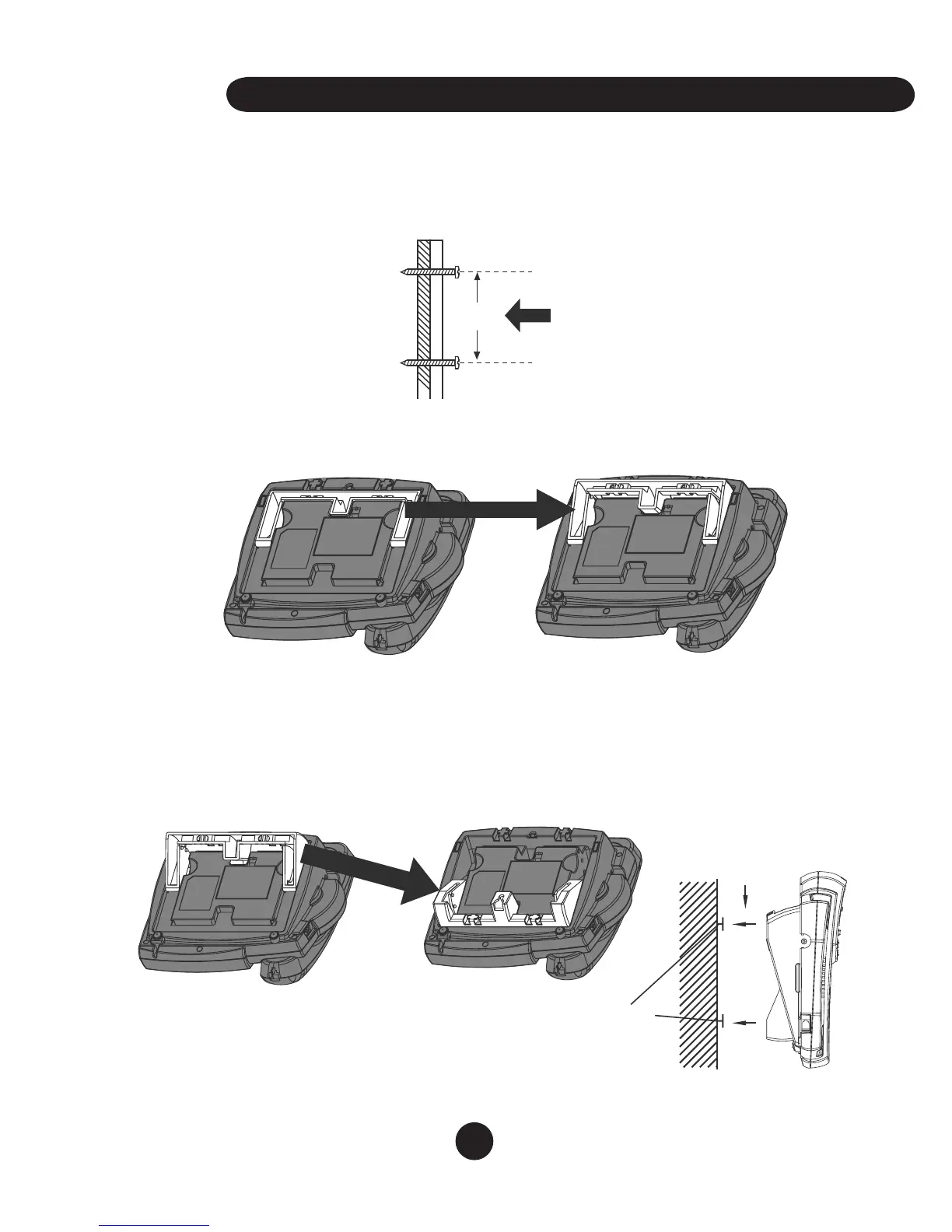
The unit can be mounted to any wall surface using two self-tapping screws (not
supplied). Follow the instructions.
1. Install two self-tapping screws at a distance of 10.5cm (4.125”) from each other
and located on a vertical center line. (See Figure 1)
2. Tighten each screw just enough to allow the wall mounting bracket enough
clearance to slip snugly over each screw head.
3. Pull out the mounting stand to the wall mounting position shown In figure 5.
4. To install as a wall unit.
a. Align the holes on the back of the telephone mounting plate with the heads of
the self tapping screws.
b. Slowly slide the unit down until it snaps into place as shown in figure 6.
5. For desktop use, the mounting stand can be left flush to the base or raised to a
medium or high position as shown in figure 3 and 4.


 To Next Page