6
USER MANUAL
UK
Functions of the MFB:
Power and pairing
Function Action
Answer a call
Hang up
Reject a call
Play/pause
Previous track
Next track
Volume +
Volume -
Activate voice assistant
Press the MFB once
In a call, press the MFB once
When receiving a call, press and hold the MFB for two seconds
When playing media, press the MFB once to play or pause
Press the MFB three times in quick succession
Press the MFB twice in quick succession
Press the MFB four times in quick succession
Press the MFB five times in quick succession
Long press until the voice assistant is activated
• Press the multifunction button for five seconds: the headphones will turn on
and a confirmation message will sound (power on); Bluetooth® will be activated
simultaneously and the headphones will enter pairing mode.
• To switch them o, press the multifunction button again for five seconds.
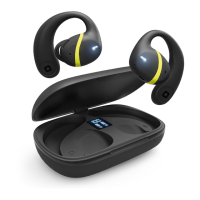
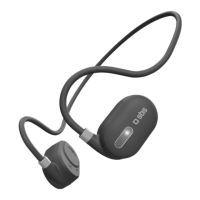
• Pairing: once the headphones are turned on, search for "SBS Air Pulse" in the
Bluetooth® list on your smartphone and select it; a message (connected) will confirm
that they have been paired successfully.
• Switching between Game Mode and Music Mode: before the phone is connected,
double-tap the multifunction button.
• The headphones support dual connection mode, i.e. connecting to two dierent
devices. To activate this mode, connect device 1, turn o the headphones or
disconnect phone 1; turn on and connect phone 2, and turn phone 1 back on and
connect it.
• Battery charging: connect the headphones to a compatible battery charger; the red
LED will turn on. When charging is complete, the LED will turn blue. The low battery
message will sound when the battery is low.



 To Next Page