EasyManua.ls Logo

Scale Graphics Spektrum 2.4 Ghz Series - User Manual

Scale Graphics Spektrum 2.4 Ghz Series
2 pages
Print Icon
To Next Page IconTo Next Page
Loading...
Radio System for use with 2.4GHZ RailBoss R/C
Channel Assignments
Rx
Left Stick Up/Down Direction Fwd/Rev Elevator ELEV
Left Stick Left/Right Sound Bell/Whistle Rudder RUDD
Right Stick Up/Down Speed 0 to 100% Throttle THRO
Right Stick Left/Right Momentum Off/On Aileron AILE
Mode 2 (Throttle on Left)
Left Stick Up/Down Speed 0 to 100% Throttle THRO
Left Stick Left/Right Momentum Off/On Rudder RUDD
Right Stick Up/Down Direction Fwd/Rev Elevator ELEV
Right Stick Left/Right Sound Bell/Whistle Aileron AILE
Mode 1 (Throttle on Right)
Parts Numbers
Transmitters
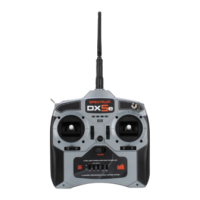
DX5e 5-Ch
DX4e 4-Channel
MLP4DSM 4-Channel
Spektrum Receivers
AR500 5-Channel
DSM2 Compatible Receivers
Orange Rx 6-Channel
DX6i 6-Channel
AR-6100 6-Ch
Notes:
1) RailBoss will work with 4 channels, but for two train operation you
need 5 channels.
2) Receivers featuring the “SmartSafe” failsafe are not compatible with
the RailBoss (AR600, AR6310, AR6100, and others. During loss of TX
signal, the receiver elevator channel must stop sending pulses (no
output, zero volts).
Trim Adjustments should be in the center position at all times.
(See Spektrum Tx manual)
Set all Servo Reverser switches to the Normal (down) position.
Set the Hi/Lo Rate switch to HI.
Recommended Radio System:
Purchase a Spektrum DX5e Transmitter (only) from your local hobby
shop or on-line (about $69).
Purchase DSM2 compatible receivers from G-Scale Graphics to in-
sure compatibility and get the lowest cost (about $15).
Question and Answer IconNeed help?

Do you have a question about the Scale Graphics Spektrum 2.4 Ghz Series and is the answer not in the manual?

Summary

Spektrum Transmitter and Receiver Parts

Transmitter Models

Lists compatible Spektrum transmitter models like DX5e, DX4e, DX6i, MLP4DSM.

Spektrum Receivers

Lists compatible Spektrum receiver models such as AR500.

DSM2 Compatible Receivers

Lists DSM2 compatible receivers like AR-6100 and Orange Rx.

Channel Assignments for RailBoss R;C

Mode 1 (Throttle on Right)

Defines channel assignments for Mode 1, with throttle control on the right stick.

Mode 2 (Throttle on Left)

Defines channel assignments for Mode 2, with throttle control on the left stick.

Recommended Radio System Purchase

Transmitter Purchase Advice

Advises purchasing a Spektrum DX5e transmitter from local hobby shops or online.

Receiver Purchase Advice

Recommends buying DSM2 compatible receivers from G-Scale Graphics for compatibility.

Transmitter Setup Guidelines

Trim Adjustments

Instructions to keep trim adjustments in the center position as per the Spektrum Tx manual.

Servo Reverser and Rate Switch Settings

Guidance on setting servo reverser switches to normal and the Hi/Lo rate switch to HI.

Spektrum Transmitter Binding Procedure

Understanding the Binding Process

Explanation of binding as a process to link a transmitter to a specific receiver.

Step-by-Step Binding Instructions

Detailed sequence of actions for binding the Spektrum transmitter to the RailBoss receiver.

Post-Binding Throttle Calibration

Instructions to calibrate the transmitter's throttle to the RailBoss after binding.

Scale Graphics Spektrum 2.4 Ghz Series Specifications

General IconGeneral
BrandScale Graphics
ModelSpektrum 2.4 Ghz Series
CategoryRemote Control
LanguageEnglish