PARTS DESCRIPTION
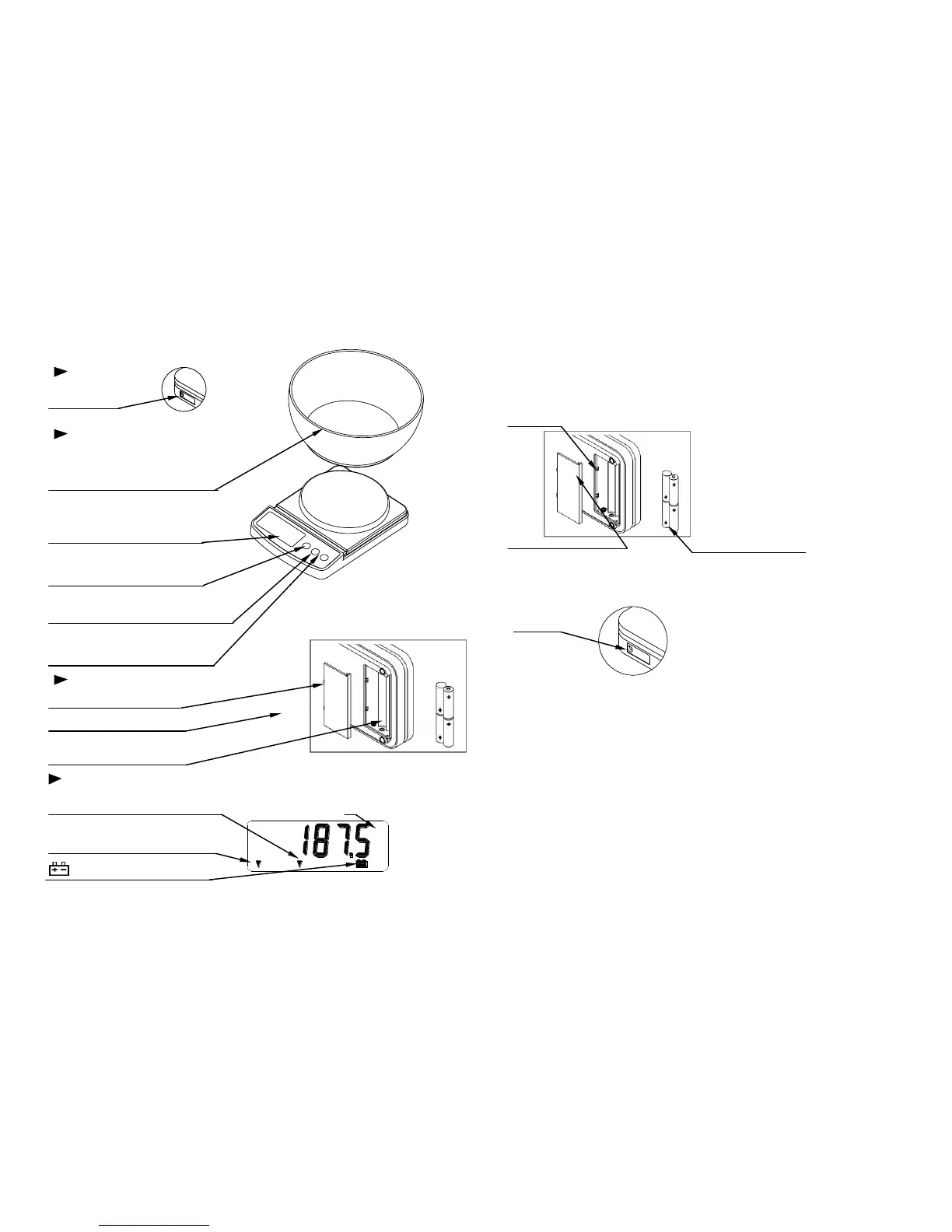
LEFT SIDE
AC adaptor
Socket
TOP
Weighing container
.
Display
ON/OFF key
Turns the scale/balance
Power on/off.
UNITS key
Changes weighing units
ZERO key
Sets display to zero or
Subtracts weight of a container.
BOTTOM
Battery compartment
Battery compartment cover
Batteries
Batteries are included
DISPLAY
ZERO indicator
Indicates when the scale/balance zero is correct. Weighing unit
STABLE indicator
Indicates when the reading is stable.
Low battery indicator
2
PREPARATION
1. Installing batteries/Connecting the AC adaptor
Batteries
Battery Remove the battery compartment
Compartment cover and insert 4 batteries(R6P/LR6
/AAsize) into the battery compartment,
taking extreme care that the polarities
plus and minus is observed.
R6P/LR6/AA size
Dry batteries.
Battery compartment cover (batteries are included)
AC adapter (not supplied)
Plug the AC adapter into the AC
AC adaptor adapter socket on the left hand side.
socket
2. Setting up the scale/balance
△
!
CAUTION
Avoid installing the scale/balance in direct sunlight which may cause discoloration
or malfunctions. Place your scale/balance on a firm weighing table so that the
scale/balance is level. (The scale/balance will not perform accurately when it is not
level.)
Place the scale/balance on a firm surface which is flat and level for accurate
weighing.


 To Next Page
 Loading...