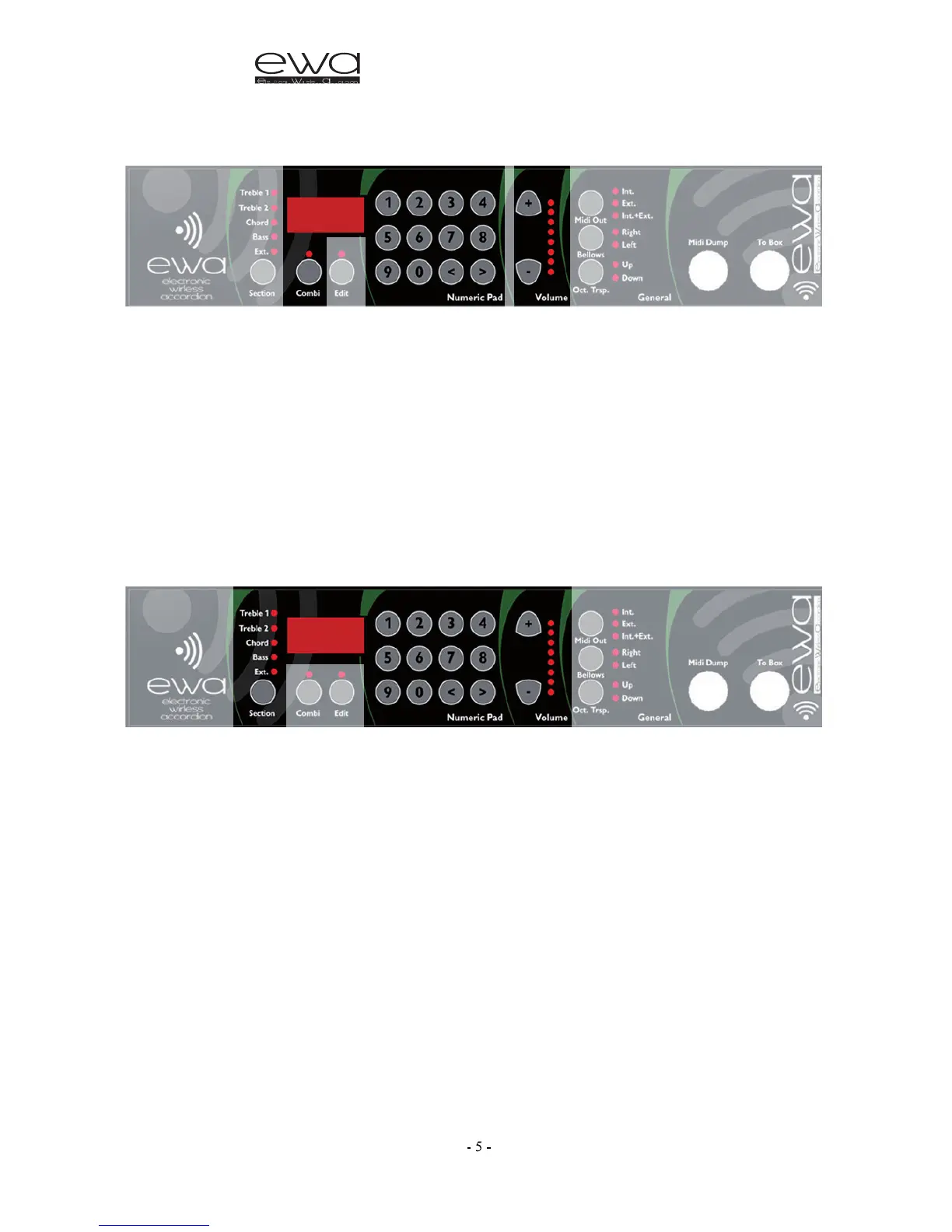
SELECTING A PRESET COMBINATION SOUND
• Press the COMBI button
• Using the numeric keypad select a combination from 1 to 32 according to
the number in the chart on page 16; even the bass and chords will change
sounds and volumes. You can also use the “< and >” buttons to scroll through
up and down through the combinations. The display will show the chosen
combination number.
• Using the +/- buttons will change the overall volume of the instrument.
The volume level will briefly be shown in the display.
SELECTING A
SOUND
• By pushing the Sections button repeatedly, select the part of the accordion
that you wish to change. The corresponding LED will light up for either:
Treble 1, Treble2, Chords or Bass.
• Using the numeric keypad select the number (from 1 to 3 numbers) of the
desired sound (see the list of sounds on page 17)
When you press the first number (0…9) the EWA will change sound and wait
for a few instants (the display will flash) for the next number (if applicable);
when this is pressed the EWA will change sound again based on the 2 digit
number and will wait again for a few instants for an eventual third number,
when this is pressed the display will stop flashing and the selected number
will play. If a number above the maximum of sounds available is selected
(i.e. over No. 499) the sounds heard will not correspond.



 To Next Page