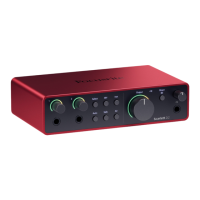
Need help?
Do you have a question about the Scarlett t Solo 4th Gen and is the answer not in the manual?
Overview of Scarlett Solo, box contents, OS and software requirements.
Initial steps for powering on and setting up the Scarlett Solo.
Explains Focusrite Control 2 and guides its installation.
Manual registration and disabling Easy Start mode.
Details on the Scarlett Solo's front panel controls and indicators.
Overview of the Scarlett Solo's back panel ports.
In-depth explanation of gain, meters, 48V, Inst, Air, Output, and Monitor.
Information on the headphone output and its level control.
Configuration steps for Ableton Live, Logic, GarageBand, Reaper, Cubase, Pro Tools, FL Studio.
Configuring sample rate, clock source, and analytics.
Examples of connecting instruments, line-level devices, and using loopback.
Using the Scarlett Solo without a computer.
Procedures for updating Focusrite Control 2 and Scarlett firmware.
Performance metrics, physical characteristics, and channel order.
Information on resolving issues and legal disclaimers.
Acknowledgements for the team involved in developing the product.
 General
| Input Channels | 1 |
|---|---|
| Output Channels | 2 |
| Phantom Power | Yes |
| Bit Depth | 24-bit |
| USB Connectivity | USB-C |
| Sample Rate | 192kHz |
| Inputs | 1 x XLR, 1 x 1/4" |
| Outputs | 2 x 1/4" |
| Type | Audio Interface |
| Software Included | Ableton Live Lite |

 To Next Page