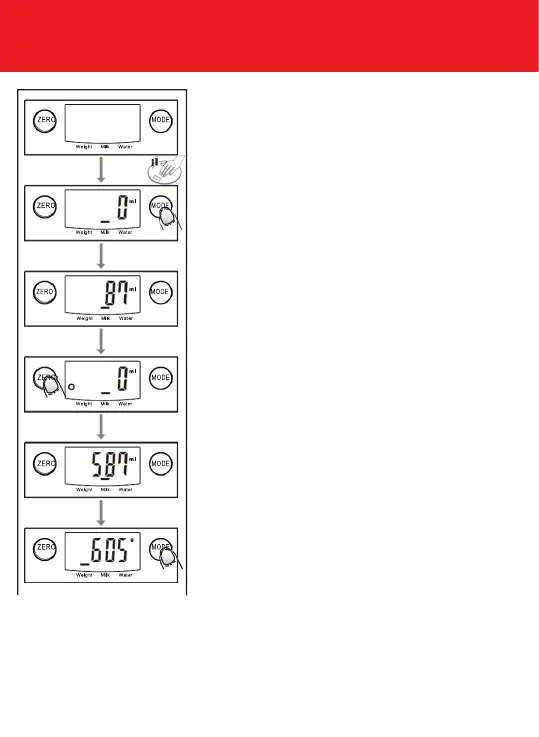
2. Volume indication mode
A. Place the scale on a solid and at surface.
B. Gently press on the scale by hand to turn on
C. Wait until LCD shows “0”, and press MODE
button to choose
“Water” or “Milk” mode.
D. Put a liquid container onto the scale
platform.
E. Press ZERO button to reset LCD to “0”.
F. Pour liquid (water or milk) into the container,
LCD shows the volume of the liquid.
G. Press MODE button to choose
“Weight” mode and view the weight of liquid.
“ZERO” OR “TARE” FUNCTION
To weigh different loads consecutively without removing loads from
the scale. Put rst Load on the scale, get weight reading. Press ZERO
button to reset the LCD reading to “0” before adding next load. You can
repeat this operation.



 To Next Page