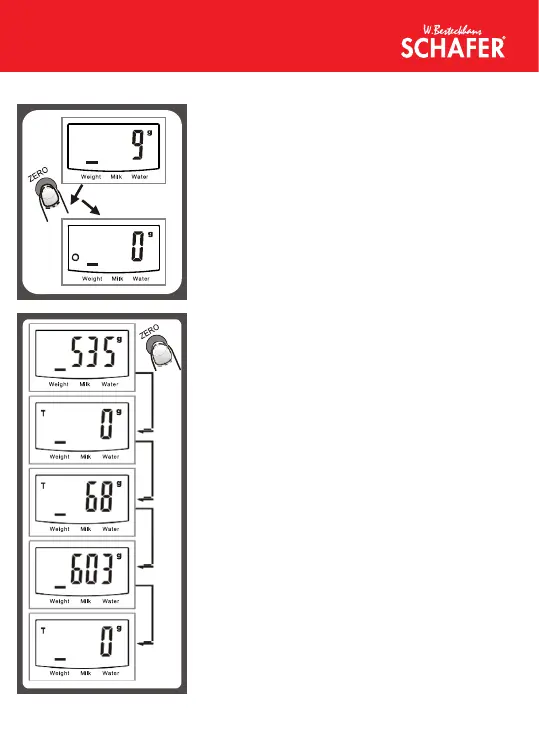
Condition 1: “ZERO” function
When total sum of all loads on scale <4%
of scale’s max. weight capacity. (4%=80g
when capacity is 2000g; 200g when
capacity is 500g)
LCD will show “-----” or “0g” each time ZERO
is perssed. “-----” means not stable, please
wait for a moment. “0g” and meanwhile an
icon “o” on lower left corner of LCD mean
“ZERO” function is active. Max.weight capacity
remains unchanged.
Condition 2: “TARA” function
When total sum of all loads on scale >4% of
scale’s max. weight capacity.(4%=80g when
capacity is 2000g; 200g when capacity is
500g)
LCD will show “-----” or “0g” each time ZERO
is pressed. “-----” means not stable, please
wait for a moment. “0g” and meanwhile an
icon “TARE” on upper left corner of LCD
mean “TARE” function is active. Max. Weight
capacity is reduced by total weight of all loads.
Under this condition:
By pressing ZERO, you can see the total
weight of all loads on the scale. If you want to
weigh mor e loa ds, just press ZERO to rese t
LCD reading to ‘0’ again.


 To Next Page
 Loading...