29
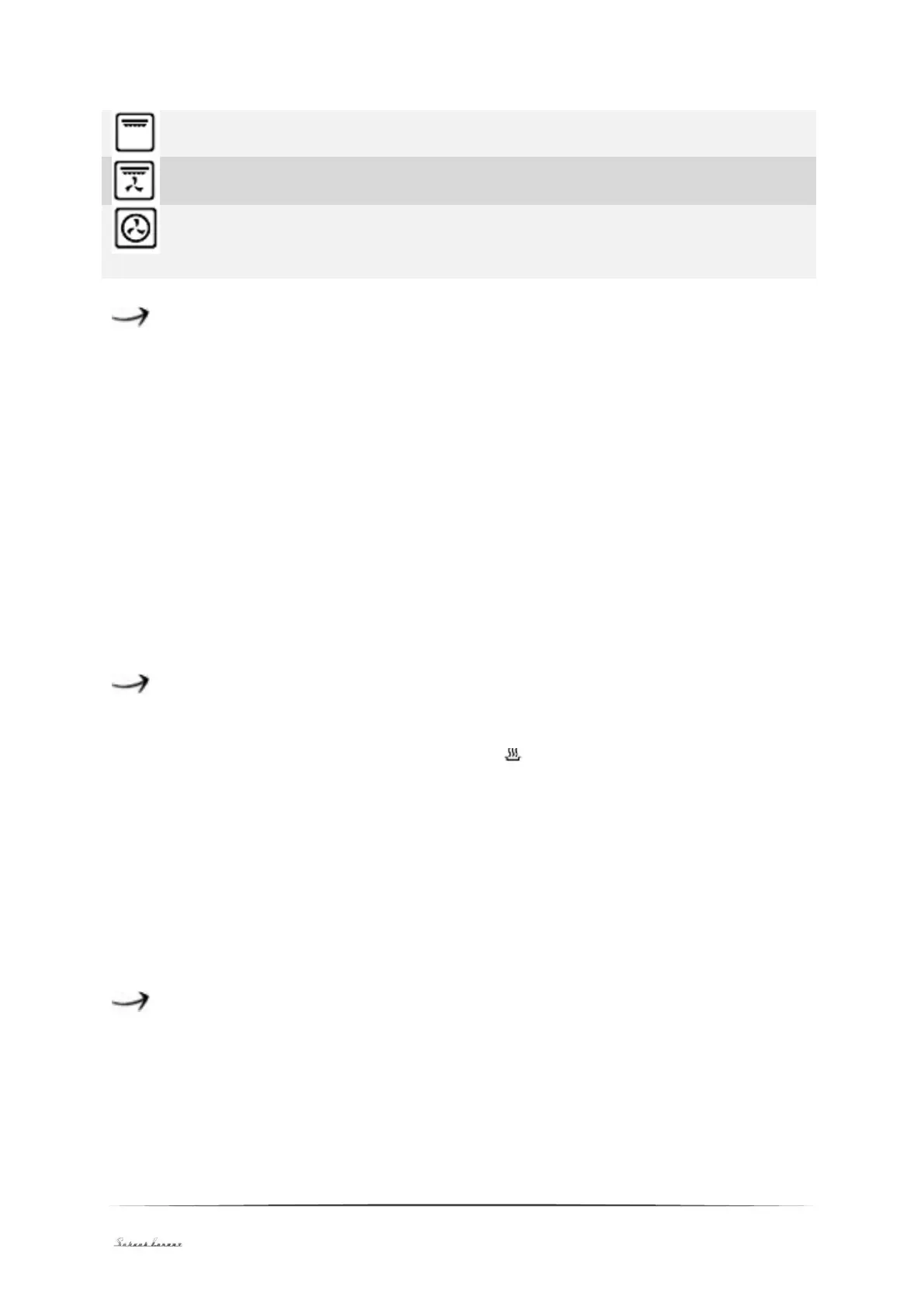
Grill and top heat switches on both grill and top heat.
Grill and top heat and fan switches on the grill, top heat and fan.
Hot-air fan. The heating element around the fan provides additional
heat. In this convection-mode the fan runs automatically to support the
circulation of air and shares the heat evenly.
Setting of the time of the day
When the appliance has been connected to the mains for the first time, please wait
until the display indicates 12:30, an acoustical signal sounds (beep) and : flashes.
You must set the current time of the day before initial use. The clock has a 24-
hours-cycle (i.e. 2 pm is 14:00).
1. Press the + or - button to set the hours.
2. Press MODE to confirm.
3. Press the + or - button to set the minutes.
4. Press MODE to confirm. The timer is in stand-by mode now.
If the display does not flash, set the time of the day by pressing the + and - button
for more than 3 seconds simultaneously.
Switching the appliance on and off
When the timer is in stand-by mode, press MODE for more than 3 seconds. The
timer enters the manual mode and the symbol is on continuously.
1. Set the desired function and temperature.
2. Set the timer function and the appliance is ready to operate.
When you set Dur or End, the appliance is switched off automatically after
cooking.
When you set the manual mode, set the function and temperature knob to 0 after
cooking. Press MODE and + for more than 3 seconds to change to stand-by mode.
Setting of the timer function
Pressing MODE in manual mode enables the setting of the timer function. The
sequence of the functions is Manual mode-Dur-End-Manual mode. Choose a
function and the temperature.


 To Next Page