The SCHEER MH-series water heater is an innovative heating system designed for vehicles, offering high technological standards and low fuel consumption. This user guide provides comprehensive information on its installation, operation, and maintenance.
Function Description:
The MH-series heater utilizes a "Blue Efficiency®" burner in a "Duo-Block" building technique, ensuring efficient and environmentally friendly operation with reduced emissions. It is designed to provide comfort and warmth within the vehicle. The system can be controlled via a boiler control field, offering user-friendly operation. An optional WLAN room thermostat allows for remote control and programming via a smartphone or tablet application, "Smart Life." This thermostat supports networking through Modbus and WLAN, offers a 0.5°C accuracy, short-term memory for power failures, and a 5+1+1 weekly program with six periods. It is also controllable by Amazon Echo, Google Home, and Tmall Genie. The heating system is approved for use with diesel and heating oil, and other fuel types require prior approval from SCHEER. The heaters are designed for 230 Volts and can be powered from the vehicle's battery via an ECE Regulation-approved inverter or directly from a 230V supply, such as a campsite connection.
Important Technical Specifications:
- Power Supply (Thermostat): 95~240VAC, 50~60Hz
- Current Load Max (Thermostat): 5A
- Sensor (Thermostat): NTC3950, 10k
- Accuracy (Thermostat): ±0.5°C
- Set Temperature Range (Thermostat): 5-35°C
- Display Temperature Range (Thermostat): 5-99°C
- Ambient Temperature (Thermostat): 0-45°C
- Storage Temperature (Thermostat): -5-45°C
- Ambient Humidity (Thermostat): 5-95% RH (not condensing)
- Power Consumption (Thermostat): <1.5W
- Protection Class (Thermostat): IP20
- Installation Box (Thermostat): 86x86mm square / Europ. 60mm round
- Wire Terminals (Thermostat): 2*1.5mm² / 1x2.5mm²
- Heating Circuit Antifreeze: At least 20%
- Maximum Surrounding Temperature: 110°C (230°F)
Usage Features:
The MH-series offers various control options and features for user convenience:
- Control Box A (Item No. 0754481): Includes controls for radiators (optional), underfloor heating (optional), hot water (optional), electric heating (optional), STL* release button, burner demand button, STL indicator, and tank control (lights up red if empty, optional).
- Control Box M (Single Stage, Item No. 0754486): Features on/off switch, polarity LED, STL LED, heating controller, burner on/lock indicator, and burner request button.
- Heating Controller: Displays the actual boiler temperature and a symbol for heat request.
- Warning Lamps:
- Safety-Temperature-Limiter (STL): If this lamp lights up, the STL has been triggered due to high operating temperature. The system needs to cool down, and the reset button must be pressed. If it triggers again, professional repair is required.
- Burner Malfunction: If this lamp lights up, there's a burner malfunction. Press and hold the burner suppressor button for 1-2 seconds to reset. If it malfunctions twice, professional repair is needed.
- Polarity: A green light indicates correct polarity. Incorrect polarity (reversed DC or AC connections) can cause damage.
- Room Thermostat (Optional WLAN):
- Power On/Off: Press the power button.
- Modes: Switch between manual mode (set temperature manually) and time program mode (follows preset schedule).
- Temperature Setting: Adjust desired temperature in manual mode using up/down arrows.
- Clock Adjustment: Set minute, hour, and weekday using arrows and confirm.
- Thermostat Locking: Press and hold up/down arrows for 5 seconds to lock/unlock. Full lock can be selected in device parameters.
- Program Schedules: If Wi-Fi is connected, the thermostat automatically accepts schedules from the "Smart Life" app. Without Wi-Fi, schedules can be set directly on the thermostat for weekdays (Mon-Fri) and weekends (Sat/Sun) with six periods each.
- System Settings: Access by turning off the device, then pressing the power and mode buttons simultaneously for 5 seconds. Settings include temperature compensation, deadzone, button locking, sensor types (internal, external, or both), min/max set temperature, display mode, low/high temperature protection, economy mode, economy temperature, and standby brightness.
- "Smart Life" App Integration: Download the app, register an account, and connect the thermostat via EZ mode or AP mode. The app allows for remote control, programming schedules, grouping multiple thermostats, and sharing device access. It also supports integration with Amazon Echo and Google Home.
Maintenance Features:
- Installation and Repair: Must be performed by a SCHEER-trained person following all instructions and safety signs.
- Fueling: Turn off the heating system before getting fuel at gas stations.
- Initial Start-up: The year of the first start-up must be permanently marked on the identification plate.
- Fuel Return Line: Ensure all shut-off valves are open before using the system.
- Combustion Air Supply and Exhaust Pipe: Check for dirt and clean if necessary.
- Cooling Fluid/Heating Circuit Water: After replacing, thoroughly bleed the system of air and add fluid/solution as needed. Ensure at least 20% antifreeze in the heating circuit water.
- Fuel and Operation Power: Use only the fuel and power indicated on the identification plate.
- Malfunction Signs: In case of heavy smoke, unusual burner noise, or fuel smell, disable the system by removing its fuse and only operate after a technical inspection by a SCHEER-trained person.
- Regular Operation: Turn on the heating system at least once a month for 10 minutes.
- Pre-heating Season Check: The heating system must be checked by a SCHEER-trained person before each heating season.
- Fuel Tank Emptying: Repeated emptying of the fuel tank can damage the burner (e.g., oil nozzle). Avoid operating the heater without fuel.
- Disposal: At the end of its service life, dispose of the device according to national regulations, preferably through a specialized company or commune's disposal department. Make the old equipment unusable before disposal by disconnecting power and removing the cable.

 Need help?
 General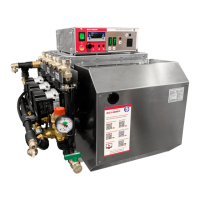

 To Next Page


