2 of 4
Preliminary copy – for evaluation - not released
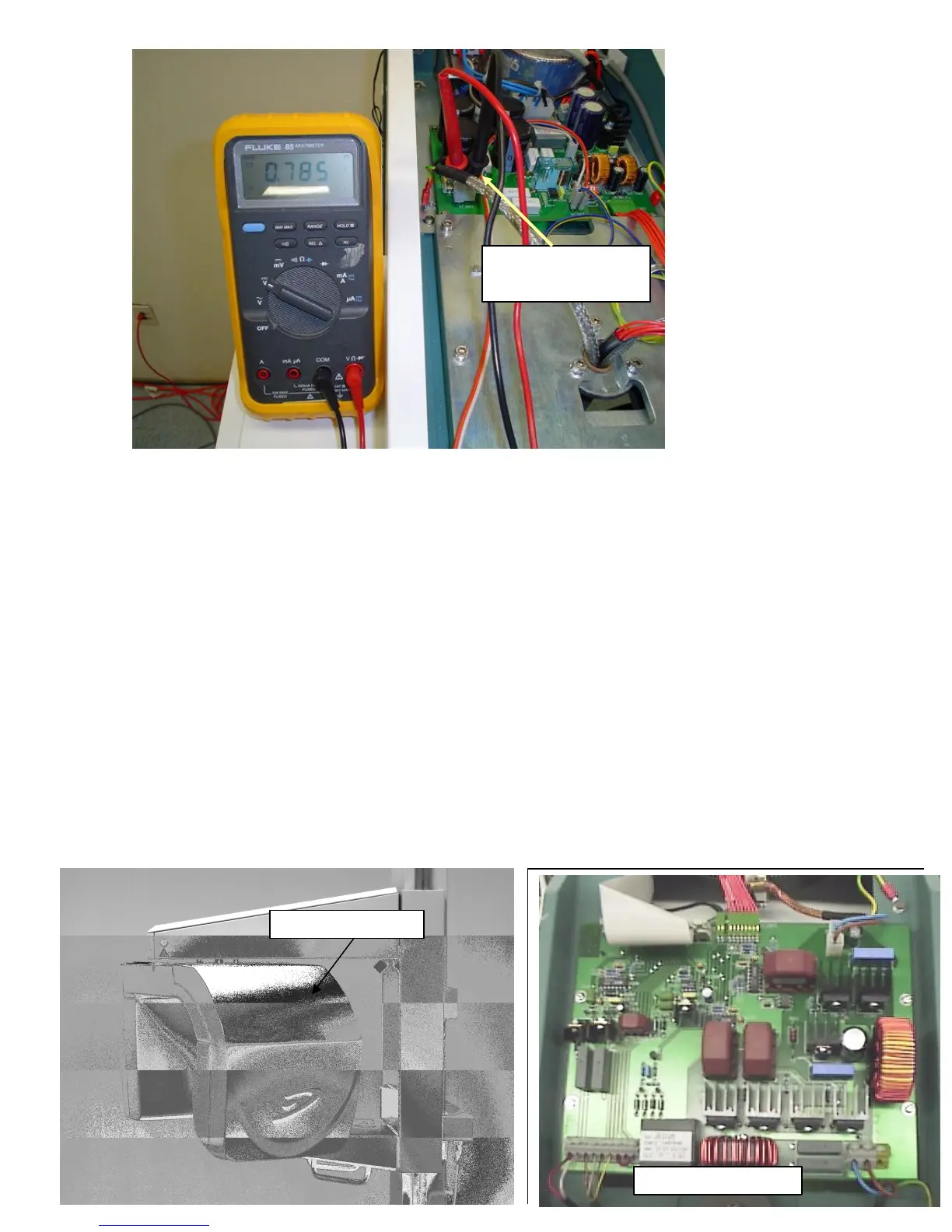
6) To check the voltage at XC303.
a) Turn machine OFF
b) set DMM to DC Volts (ensure DMM is capable of measuring >300
VDC).
c) Connect probes to XC303.
d) Power machine ON.
e) Enter Service Mode and go to Service Test 10 (see Chapter 8 of the
CDR PanX Installation and Service Guide PN: B1051402).
f) Stand clear of X-ray path and energized components.
g) Press and hold the exposure switch momentarily.
h) Check DMM for proper reading of about 300 VDC.
If Fuses FU304 and FU305 are good and the proper voltage is not present
then replace the CDR PanX Power Supply Board (Schick PN: A4501200 for
115 V systems and Schick PN: A4501300 for 230 V systems).
7) If the proper voltage is present then continue below.
Power Switching Unit
Check for 300 VDC at
XC303 during X-ray



 To Next Page