Need help?
Do you have a question about the Schindler CAL MEDIA MVPHD-24 and is the answer not in the manual?
Expresses gratitude to the user for choosing the product.
Provides a general introduction to the MVPHD-24 converter and its purpose.
Lists the key capabilities and functionalities of the MVPHD-24 device.
Offers a brief, step-by-step guide for initial setup and basic operation.
Offers an in-depth explanation of the device's design, components, and functionality.
Details essential safety measures for equipment handling and operation to prevent damage.
Covers the initial steps for unpacking the device and checking contents.
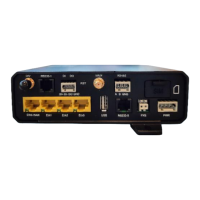
Illustrates and describes the function of each connector on the rear panel.
Explains how to insert and remove memory cards for updates and storage.
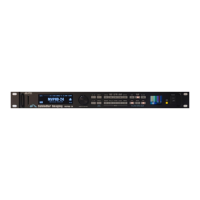
Describes the device's physical controls and the front panel OLED display.
Explains how to access and navigate through the device's menu system.
Details how to select and configure video input sources and their parameters.
Covers controls for adjusting video signal properties like brightness, contrast, and color.
Explains how to adjust image scaling and positioning for output.
Details controls for adjusting image color balance in the RGB color space.
Covers settings for selecting output frame rates, formats, and signal types.
Explains controls for synchronizing output timing with reference signals.
Details settings for display brightness, firmware updates, and date/time.
Describes how to capture, load, save, and delete still images.
Explains how to save and recall device settings as presets.
Covers the functionality of dedicated buttons like EFX, TSG, Color Temp, Mono, Black, and Fan.
Explains the problems caused by differing frame rates between cameras and monitors.
Details how shutter phase differences can cause image splitting or banding.
Describes how shutter angle variations can lead to visible artifacts like banding.
Provides advice on selecting monitors and meeting vertical lock requirements.
Explains how to adjust color temperature using YUV space for accurate scene matching.
Offers guidance on synchronizing cameras and monitors for artifact-free playback.
Explains how to use image resizing to achieve larger shutter angles without artifacts.
Discusses the non-standard nature of VGA signals and timing variations.
Explains the automatic algorithms used to sample VGA images accurately.
Details how sampling phase affects image sharpness and how to adjust it.
Describes the feature for handling non-standard VGA input signals.
Explains how to capture output video as still images for buffer storage.
Details loading images from SD/MMC cards and managing stored files.
Explains the requirement for a Custom Key to load and manage custom test signals.
Covers capturing, loading, and batch loading custom test signal images.
Outlines steps for obtaining and preparing firmware files for installation.
Provides instructions for updating firmware via memory card or Dashboard.
Offers solutions for common issues encountered during firmware installation.
Lists the technical specifications for all input and output connectors.
Details composite output formats, control interfaces, and memory card specs.
Lists detailed performance data for video inputs, outputs, and processing.
Details the device's processing capabilities and environmental operating conditions.
Shows the pin configuration for the General Purpose I/O (GPIO) connector.
 General
| Category | Media Converter |
|---|---|
| Model | CAL MEDIA MVPHD-24 |
| Manufacturer | Schindler |
| Type | HDMI to SDI Converter |
| Input | HDMI |
| Resolution Support | Up to 1080p60 |
| Embedded Audio | Yes |
| Power Supply | 5V DC |
| Output | SDI |

 To Next Page