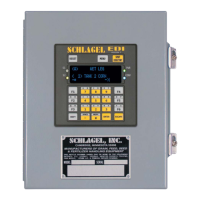
SCHLAGEL, INC.
EDI Distributor Control
7
Page 3 of 3
MENU SYSTEM*
CUSTOMIZE DISPLAY
1
Edit Access
Numbers
Change the number used to access a position. (Numbers 1 – 255 are allowed.)
Access keys by default are 1 through the number of ducts on the distributor. Use
this if you would prefer to use a number with a special meaning.
2
Edit Position
Names
1,2
Rename each spout position, e.g., POSITION 5 to WET CORN BIN.
3
Edit Function
Keys
1
Assign a Speed Dial key (F1-F6) to frequently used positions.
4
Edit Caption
2
Change the name of the distributor as displayed on the top line.
MISC SETTINGS
1
Network
Functions
For network automation. Start/stop and assign name.
2
AutoRun
Testing
Used by technicians for proof of operation.
3
AutoTune
Routine
Used by technicians to reset spout-centering values.
INSTALL/SETUP
1
Run Motor
Manually
Used by technicians to check motor and spout movement.
2
Check Sensors Used by technicians to check wiring and condition of the sensors..
3
Auto Install
Distributor
Used by technicians to configure the C7 to the distributor.
Notes:
Shaded routines affect the operation of the distributor and should only be used by those familiar with
the results of its use.
1
These names are shown when using the SPOUT DIRECTORY.
2
Alphabetic characters require the use of the SHIFT key. Use a single or double shift to access the
left or right character of the key respectivally.
*Only the INSTALL/SETUP menu is available at boot.


 To Next Page
 Loading...