EasyManua.ls Logo

Schrack BZ326440-A - Page 16

Default Icon
Print Icon
To Next Page IconTo Next Page
To Previous Page IconTo Previous Page
Loading...
16
Prog.
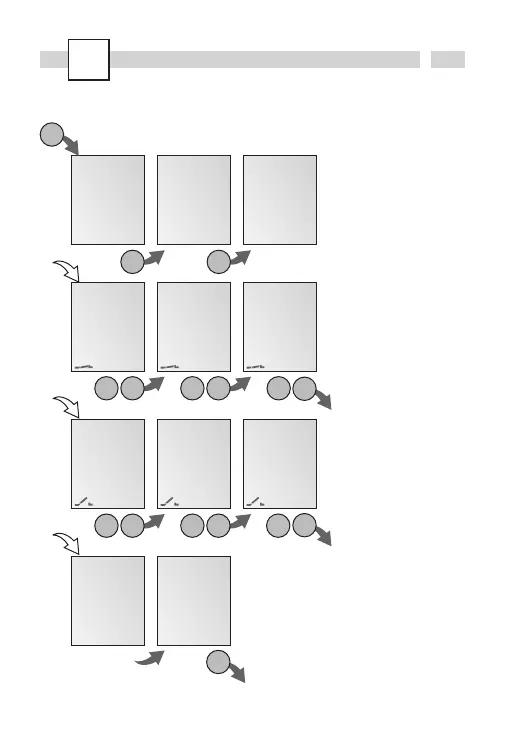
New weekly program
FREE
50
WEEKLYNEW
ok ok
ok
5
ON MIN
15 OO
5
ON HOUR
OO
OO
1 2 3 4 5 6 7
ON DAY
ok+/- ok+/- +/-
ok
Info
The time switch has 50
memory spaces.
Example
ON command at 3 pm.
OFF command at 6 pm.
· Select NEW program
and confirm with
OK.
· Select WEEKLY program
and confirm with
OK.
· The free memory spaces
are briefly displayed.
· Select day block or
individual day (block
formation as desired)
and confirm with
OK.
· Enter hour for ON
command (
+/-) and
confirm with
OK.
· Enter minute for ON
command (
+/-) and
confirm with
OK.
· Enter hour for OFF
command (
+/-) and
confirm with
OK.
· Enter minute for OFF
command (
+/-) and
confirm with
OK.
· Program is saved.
· Program jumps to
selection WEEKLY. Now
additional programs can
be created.
5
OFF HOUR
15
OO
5
OFF DAY
ok+/- ok+/-
5
OFF MIN
18 OO
+/-
ok
SAVED
O1
O2
WEEKLY
Esc