Page 8 of 12
14. Troubleshooting Guide
Symptoms Possible Cause(s) Solution
No display on LCD
• No Power
• Faulty Unit
• Check battery
polarity
• Replace batteries
• Replace receiver
Not powering up No Shock Detected
Strike the receiver with
minimal force, OR press
and hold the “OK” button
for 3 seconds
Not learning ID
• Localized RF noise
• Not enough pressure
drop
• Move to another
location and try again
• Release more air from
tire
Tire data flashes on LCD
• Sensor not activated
• Sensor faulty
• Increase speed over
25mph (40km/h)
• Replace faulty sensor
Incorrect units displayed Incorrect display setting Change to suit
Spare tire sensor not
displayed
• Spare tire not enabled
• No sensor in spare
• Turn on spare in
display
• Fit sensor to spare
Page 5 of 12
8. Spare Tire
If a sensor is fitted to the spare tire, it can be monitored during normal TPMS
usage.
Enter programming mode and select spare tire mode. Press the button to
enable change to be made (spare tire icon flashes). The only selection is
either ON or OFF. Use the “UP” button to select ON, and use the “DOWN”
button to select OFF.
Press “OK” to store selection.
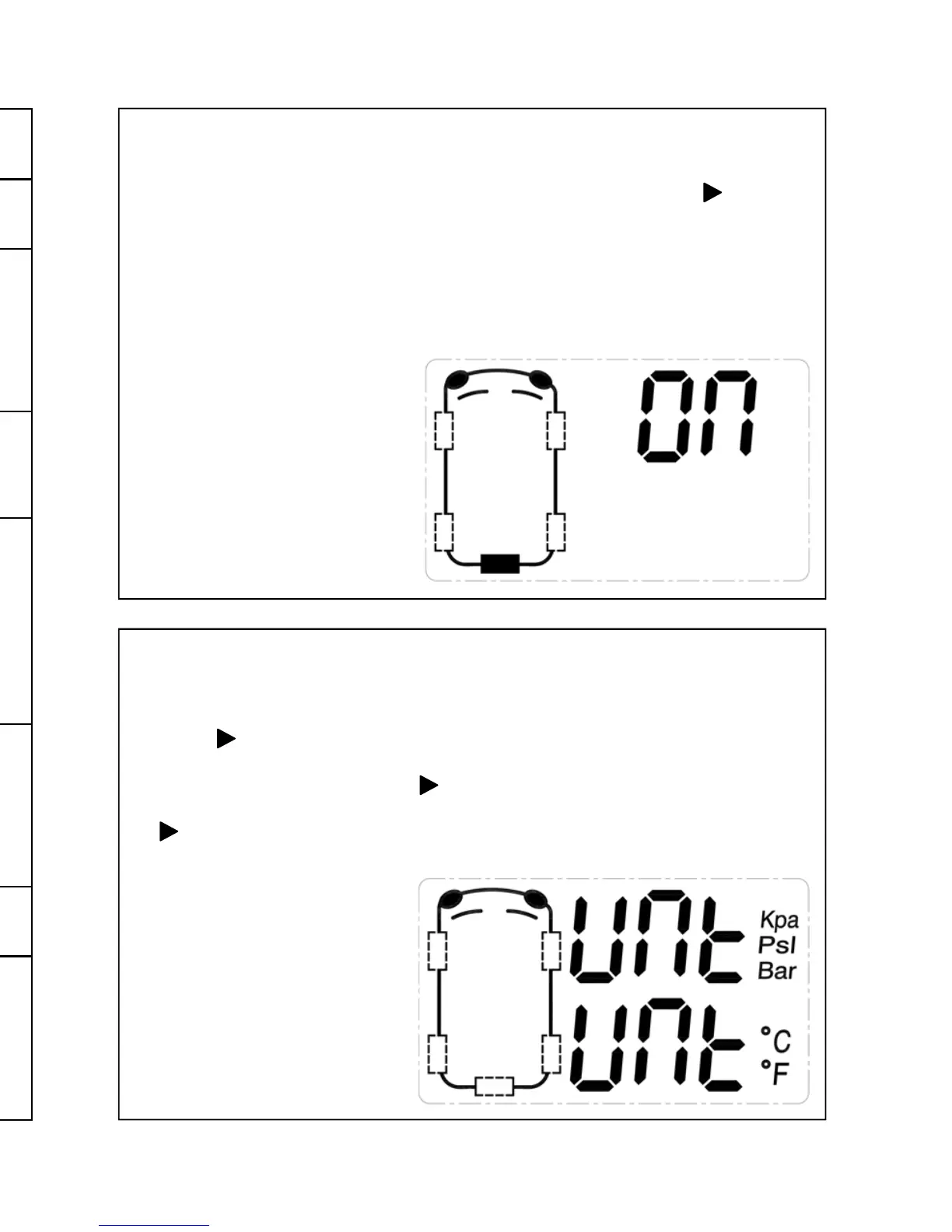
9. Pressure / Temperature Unit Setting
The displayed pressure and temperature units may be changed to suit your
requirements.
Enter programming mode and select UNIT.
Press the button to allow a selection to be made.
Use the up and down buttons to select the pressure unit (flashing). After
making your selection, press the button to continue onto temperature
selection. Use the up and down buttons to select temperature units. Press
the button to confirm your selection.
Press “OK” to store your selection.


 To Next Page
 Loading...