12
Operation
Basics
Power on/o: Press "POWER“ to switch the device on or o.
Adjusting the volume: Turn the VOLUME wheel.
Sounds: Press VOICE to activate the sound selection. Use +/- or the num pad to select the desiredvoice.
For example, press 5 rst, and then 9, to select voice #59.
Eects and Settings
Keyboard teilen: Press SPLIT to split the keyboard on the 24th key.
Keyboard Drum: From any voice, switch to drum sounds directly with KEYBOARD DRUM. Press again
to switch back.
Sustain/Vibrato: Activate/deactivate SUSTAIN or VIBRATO with the correspondingly marked buttons.
Transpose: The default tuning is 0. Use the TRANSPOSE +/- buttons to transpose the whole keyboard
in steps of one semi-tone, so you can play to songs recorded in other keys without having to transpose
the song.
Tempo, Transponieren, Feinstimmen: Use the +/- buttons in the TEMPO/TRANSPOSE/FINE TUNING,
section to adjust the beat, transposition (in half step notes) and the ne tuning.
Beat: Press BEAT several times for the signatures 1/4, 2/4, 3/4 or 4/4th beats.
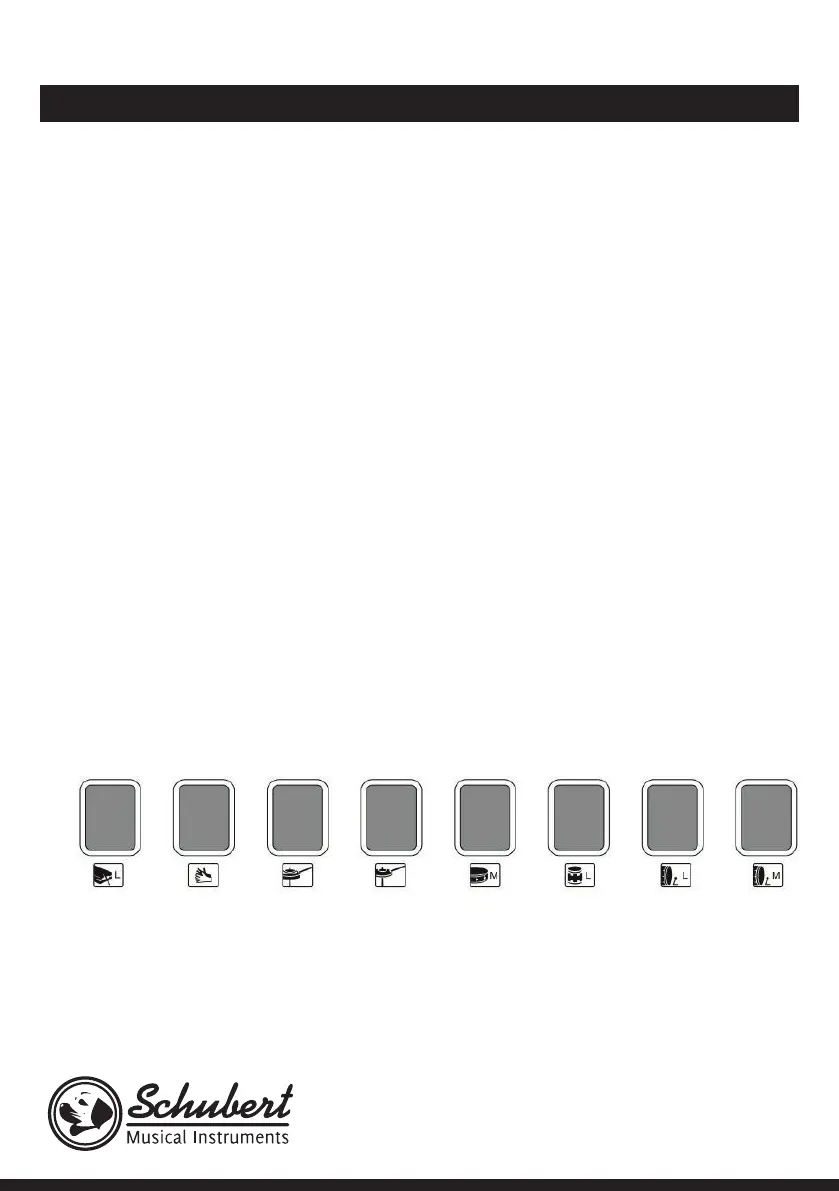
Percussion Panel: For simple drum samples, use the 8 percussion panel buttons:
Wood Block Hand Clap HiHat
(open)
HiHat
(closed)
Snare Bongo Bass Drum
(soft)
Bass Drum


 To Next Page