Introduction
Einleitung
DCS Touch Display
DCS Touch Display
Access control
Zutrittskontrolle
Emergency exit switch
Fluchttürsicherung
Door communication
Türkommunikation
Components
Komponenten
Accessories
Zubehör
Schüco Door Control System (DCS)
C 2-1
07.2016 / 54105
Systembeschreibung • System description
Schüco Door Control System (DCS)
Schüco Door Control System (DCS)
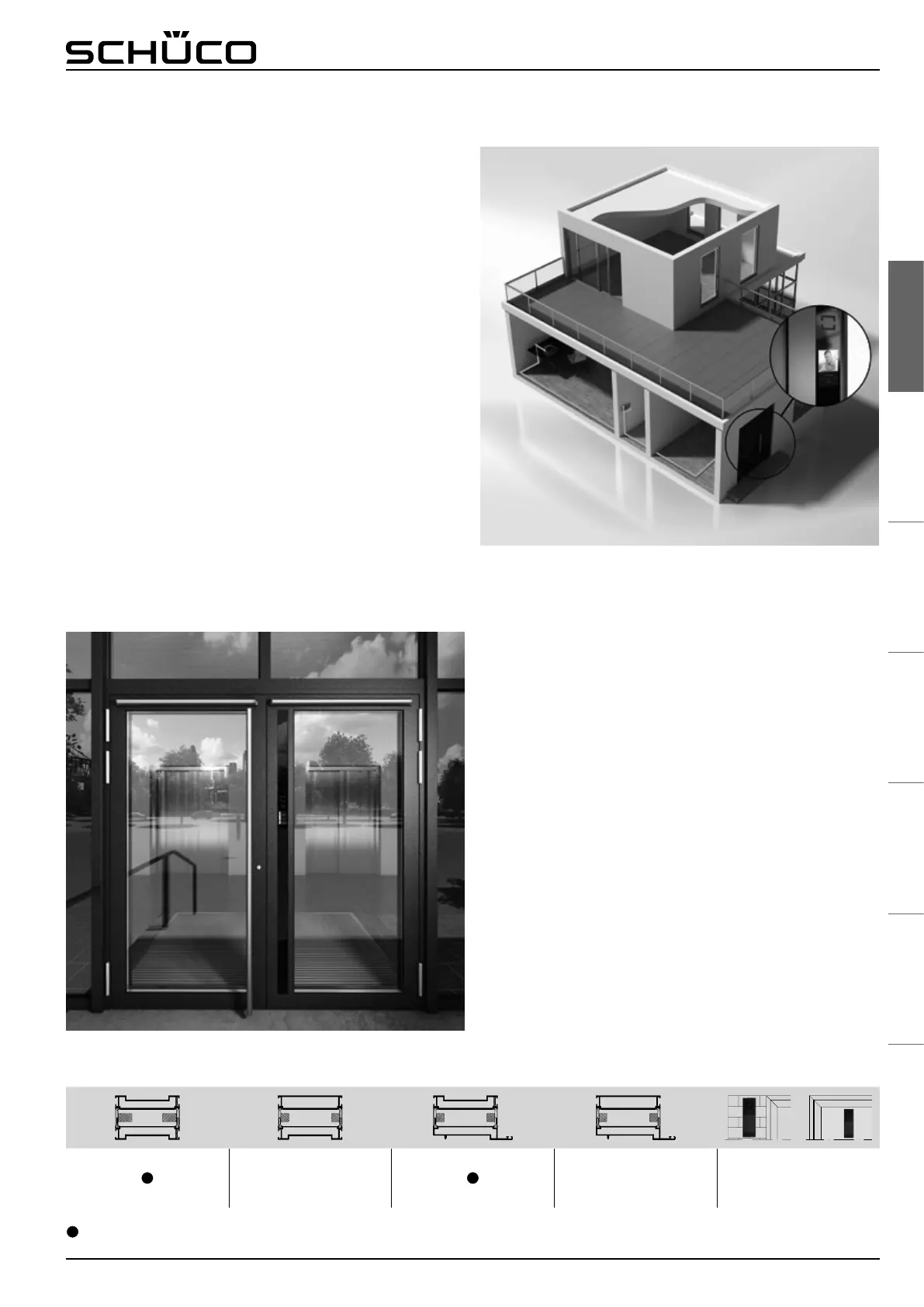
Schüco DCS Touch Display
Türkommunikation und Zutrittskontrolle in einem Modul mit
Touchbedienung
Das exklusiv bei Schüco erhältliche Schüco DCS Touch Display
vereint in nur einem Modul die Türkommunikation und
Zutrittskontrolle. Die Bedienung für den Nutzer erfolgt per
Touchoberäche so einfach, wie er es von seinem Smartphone
oder Tablet gewohnt ist. Für den Verarbeiter ergibt sich der
große Vorteil, dass nur ein Modul verbaut werden muss,
welches zur Abnahme gegenüber dem Kunden direkt einen
Testmodus integriert hat. Durch die Nutzung der
SIP Technologie kommuniziert das Schüco DCS Touch Display
über IP Systeme und kann an unterschiedlichste
Gegensprechstellen angeschlossen werden.
Mit dem Schüco DCS Touch Display ist eine unauffällige
Integration in die Schüco DCS Prole möglich. Des Weiteren ist
die Montage als Paneel- und Wandmontage möglich.
Das Schüco DCS Touch Display zeigt im Betrieb die
Hausnummer an. Bewegt sich eine Person auf die Tür zu,
erkennt die integrierte Kamera die Bewegung und schaltet
automatisch auf die Ruiste (Klingelliste) um. Der Besucher
kann nun wie von seinem Smartphone gewohnt das Rufziel
direkt antippen oder in einem z. B. Mehrfamilienhaus durch
auf- und abwischen den entsprechenden Kontakt suchen und
antippen. Die integrierte Zutrittskontrolle wird durch ein
seitliches wischen erreicht. Hier kann der Nutzer den vorher
festgelegten Code eingeben um die z.B. Tür zu öffnen.
● Externe Steuereinheit
● Bauseitige Verdrahtung
● External control unit
● Wiring by others
● Externe Steuereinheit
● Bauseitige Verdrahtung
● External control unit
● Wiring by others
● Externe Steuereinheit
● Bauseitige Verdrahtung
● External control unit
● Wiring by others
Ohne Einschränkung
No restrictions
Einsatzmöglichkeit Schüco DCS Touch Display
Installation options for Schüco DCS touchscreen
Schüco DCS touchscreen
Door communication and access control in a single module
with touch operation
Exclusively available from Schüco,
the Schüco DCS touchscreen combines door communication
and access control in a single module. The user operates the
unit very simply via a touchscreen interface, just as they are
accustomed to with their smartphone or tablet. For the
fabricator, the greatest advantage is that only one module needs
to be installed, which has a directly integrated test mode for
customer approval.
By using SIP technology, the Schüco DCS touchscreen
communicates via IP systems and can be connected to a wide
range of intercom stations.
The Schüco DCS touchscreen can be integrated discreetly into
the Schüco DCS proles. Furthermore, both panel and wall
mounting options are available.
During operating, the Schüco DCS touchscreen displays the
house number. If a person approaches the door, the integrated
camera senses the movement and automatically changes to the
call list (doorbell list). As they are accustomed to with their
smartphone, the visitor can now tap on the call destination
directly or, in apartment buildings for example, they can swipe
up or down to search for and tap on the appropriate contact.
The integrated access control is called up by swiping to the side.
Here, the user can enter the pre-dened code to open the door,
for example.



 To Next Page
 Loading...