Introduction
Einleitung
DCS Touch Display
DCS Touch Display
Access control
Zutrittskontrolle
Emergency exit switch
Fluchttürsicherung
Door communication
Türkommunikation
Components
Komponenten
Accessories
Zubehör
Schüco Door Control System (DCS)
C 1-7
07.2016 / 54105
Einleitung DCS • DCS introduction
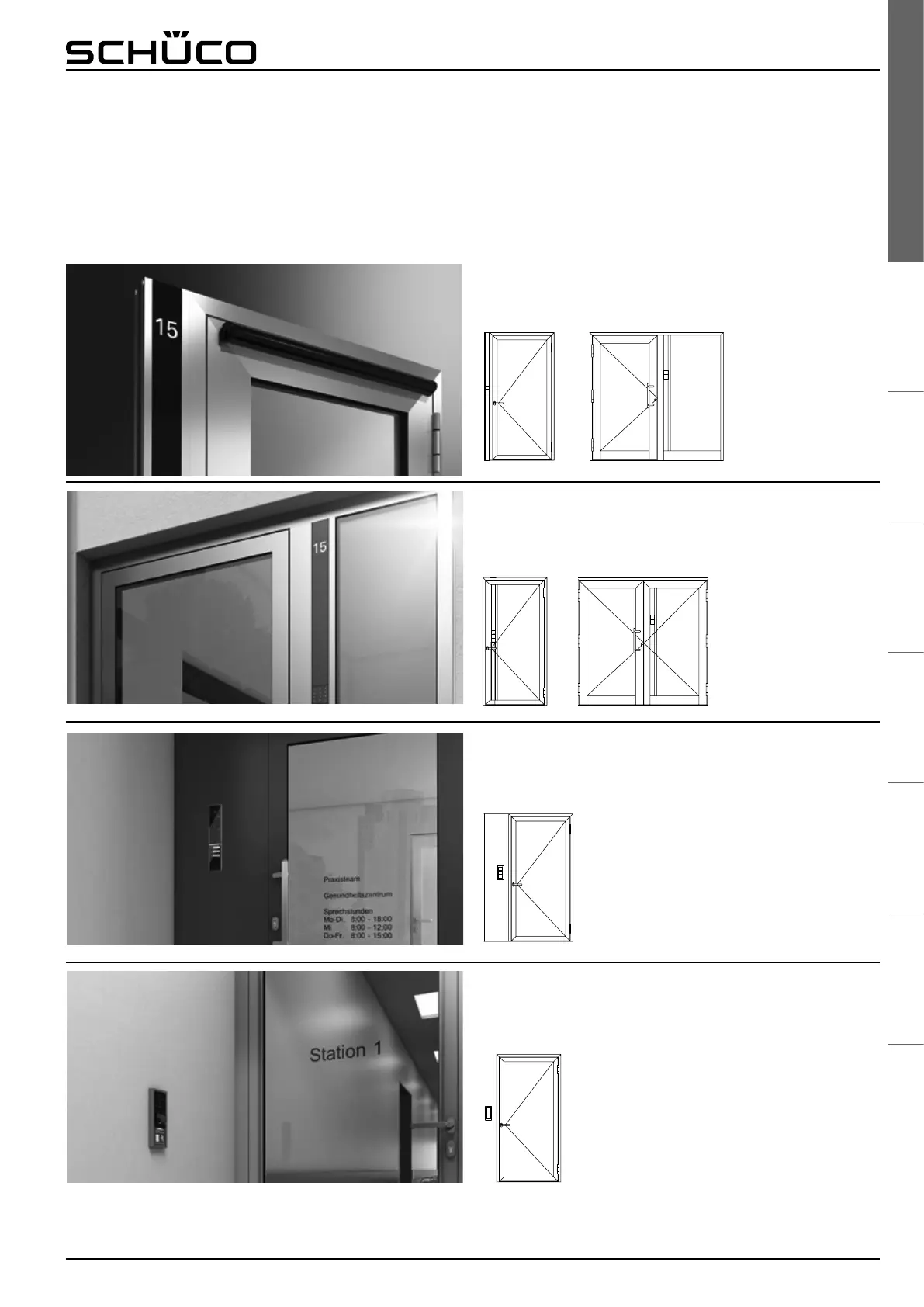
Montagevariante Schüco DCS: Pfosten am Blendrahmen
oder im Festfeld
Installation option: Schüco DCS unit on outer frame
Montagevariante Schüco DCS: Pfosten im Flügel
(bei 2-g. Türen im Standügel)
Installation option: Schüco DCS unit in the leaf or
xed light
Montagevariante: Schüco DCS Panelmontagerahmen
Installation option: Schüco DCS panel-mounted frame
Montagevarianten
Installation options
Ob Neubau oder Renovierungsobjekt: Durch unterschiedliche
Montagevarianten im Blendrahmen oder im Flügel bietet das
Schüco DCS Lösungsansätze für jeden Einsatzfall. Ergänzend
können alle Module auch in Gehäuse zur Paneel- oder Wand-
montage integriert und neben bereits existierenden Türen
platziert werden.
Whether for newbuilds or renovation projects, the different
installation options in the outer frame or leaf allow Schüco DCS
to provide solutions for every situation. In addition, all modules
can be integrated into a wall-mounted or panel-mounted
housing and positioned next to existing doors.
Montagevariante: Schüco DCS Wandmontagerahmen
Installation option: Schüco DCS wall-mounted frame


 To Next Page
 Loading...
