EasyManua.ls Logo

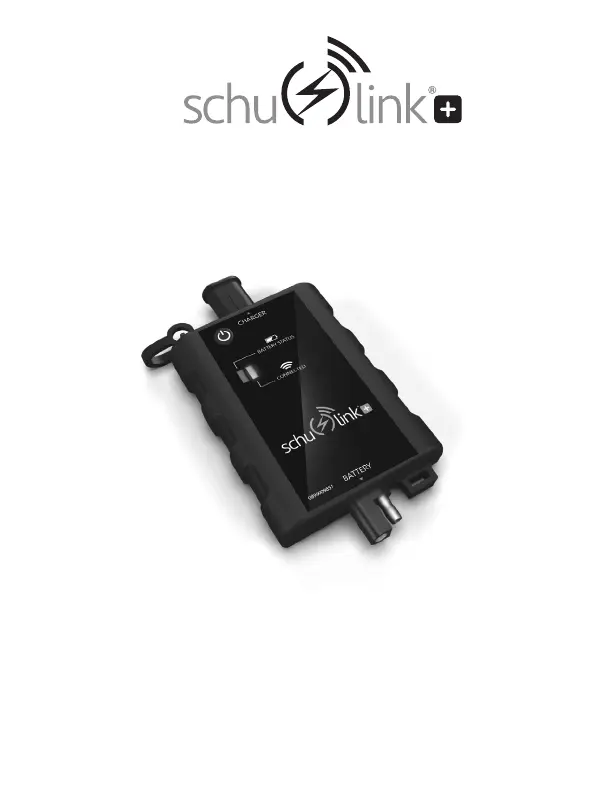
Schumacher Electric schulink+ SA1345 - User Manual

Schumacher Electric schulink+ SA1345
20 pages
Print Icon
To Next Page IconTo Next Page
Loading...
SA1345
Wireless Battery Monitor
Monitor de batería inalámbrico
OWNERS MANUAL / MANUAL DEL USUARIO
0099001846-03
PLEASE SAVE THIS OWNERS MANUAL AND READ BEFORE EACH USE.
This manual will explain how to use the monitor safely and effectively. Please
read and follow these instructions and precautions carefully.
POR FAVOR CONSERVE ESTE MANUAL DEL USUARIO Y LEALO ANTES DE
CADA USO. En este manual le explica cómo utilizar el monitor de manera segura
y confiable. Por favor, lea y siga las siguientes instrucciones y precauciones.

Questions and Answers

  • M
    Mr. Andrew Harris PhDAug 8, 2025
    What to do if the blue CONNECTED LED on my Schumacher Electric schulink+ SA1345 Measuring Instruments never turns solid?
    • A
      April PetersonAug 8, 2025
      The vehicle might be out of range of the wireless router, the wireless connection might be set up incorrectly, or the internet connection might have been lost temporarily. You may need a wireless extender to bring the signal closer to the vehicle for proper operation. To conserve battery, the monitor goes into deep sleep mode and may require up to 12 hours before sending battery data to the Cloud. When the wireless connection is available again, pressing the Status button will put the monitor back on its original reporting schedule.
  • H
    hoffmanwilliamAug 23, 2025
    Why won't my Schumacher Electric Measuring Instruments monitor turn on even when it's properly connected?
    • J
      Jon MortonAug 25, 2025
      A possible cause is a poor electrical connection or a blown fuse. Check the battery connections and the fuse.

Summary

Important Safety Instructions

Keep Out of Reach of Children

Keep the device away from children to prevent accidents.

Assembly Instructions

Installing the App and Registering Your Monitor

App Installation

Download and install the SchuLink+ App from the Apple App Store or Google Play.

Wireless Network Setup

Connect the monitor to a wireless network via the app for internet connectivity.

Setting Up the Battery Monitor

Monitor Registration

Register your monitor to the app using the Monitor ID and password.

Permanent Attachment

Attach ring connectors to battery terminals securely, noting positive and negative connections.

Using the Battery Monitor

SchuLink+ App Usage

Log in to the app to view connected monitors, add new ones, or check status.

Troubleshooting

Before Returning for Repairs

Schumacher Electric schulink+ SA1345 Specifications

General IconGeneral
BrandSchumacher Electric
Modelschulink+ SA1345
CategoryMeasuring Instruments
LanguageEnglish