EasyManua.ls Logo

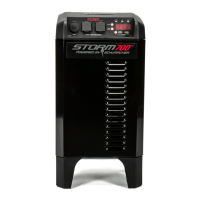
Schumacher storm 700 User Manual

Schumacher storm 700
15 pages
To Next Page IconTo Next Page
Page #1 background imageLoading...
Page #1 background image
MODEL
SBP1
0099001664-02
PLEASE SAVE THIS OWNERS MANUAL AND READ BEFORE EACH USE.
This manual will explain how to use the unit safely and effectively. Please read and
follow these instructions and precautions carefully.
POR FAVOR CONSERVE ESTE MANUAL DEL USUARIO Y LEALO ANTES DE
CADA USO. En este manual le explica cómo utilizar la unidad de manera segura
y conable. Por favor, lea y siga las siguientes instrucciones y precauciones.
OWNERS MANUAL
MANUAL DEL USUARIO
Backup
Power System
Sistema de energía
de reserva

Questions and Answers:

Schumacher storm 700 Specifications

General IconGeneral
BrandSchumacher
Modelstorm 700
CategoryPower Supply
LanguageEnglish

Summary

Important Safety Instructions

Explosion Hazard Precautions

Details precautions to avoid explosion risks from fumes, batteries, and temperature.

Electrical Shock and Fire Hazard Precautions

Covers warnings and instructions related to electrical hazards, damage, ventilation, and materials.

Personal Safety Precautions

Restrictions on Use with Life Support

Highlights restrictions on using the unit with life support devices due to potential failure.

Features Overview

Control Panel Details

Operating Instructions

Charging Schedule and Battery Life

Emphasizes immediate charging after purchase/use and monthly charging for battery longevity.

Charging the Internal Battery

Provides step-by-step instructions for charging the internal battery from a 120V outlet.

AC Converter Usage

Guides on using the AC converter, wattage limits, surge power, and extension cord recommendations.

AC Power Outlet Usage

Provides cautions and steps for using the 120V AC power outlets.

Display Messages and Codes

System Fault and Error Messages

Explains system faults like high load, low voltage, and reset procedures.

Troubleshooting Guide

Unit Not Functioning

Addresses issues with the unit not working, checking battery and fuse.

Low Input Voltage Display

Explains the 'LOW INPUT VOLTAGE' message and how to recharge the battery.

High Load Display

Explains the 'HIGH LOAD' message and how to reduce power draw.

Specifications

Related product manuals