EasyManua.ls Logo

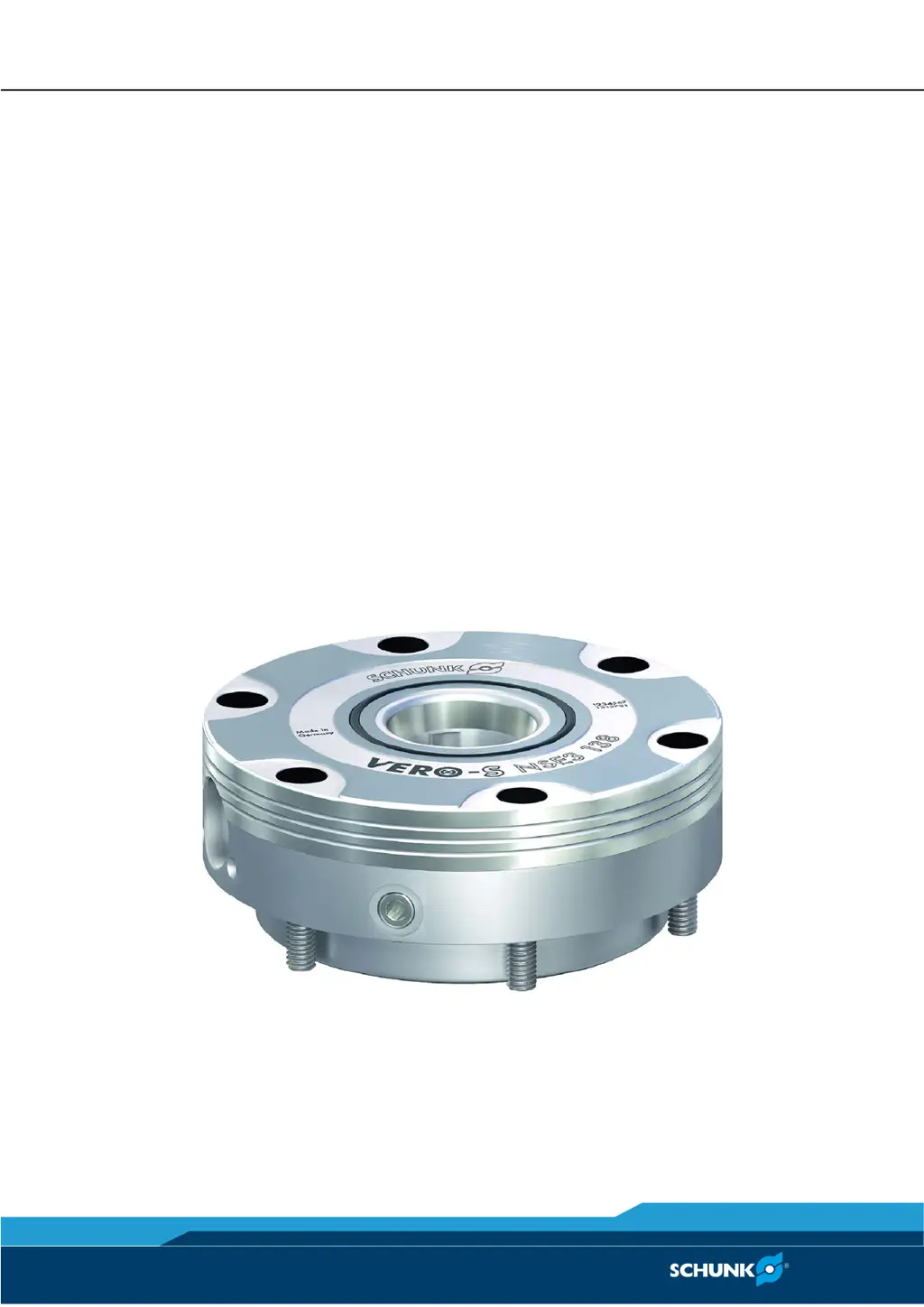
SCHUNK VERO-S NSE3 138 - User Manual

SCHUNK VERO-S NSE3 138
79 pages
Print Icon
To Next Page IconTo Next Page
Loading...
Translation of Original Operating Manual
VERO-S quick-change pallet system
NSE3 138, NSE-T3 138
Assembly and Operating Manual
Superior Clamping and Gripping

Table of Contents

Questions and Answers

  • S
    Shane MurphyAug 3, 2025
    Why clamping area does not unlock in SCHUNK Industrial Equipment?
    • S
      Steven BrownAug 3, 2025
      If the clamping area of your SCHUNK Industrial Equipment doesn't unlock, several factors could be at play. First, check the air supply to ensure the air connections aren't defective. Next, verify that the operating pressure meets the minimum requirement of 5 bar. Also, excessive tensile load on clamping pins could be the issue, so reduce the support weight. If these steps don't resolve the problem, a component may be broken due to overloading; in this case, consider replacing the module or sending it to SCHUNK for repair.
  • E
    Edgar HenryAug 10, 2025
    What to do if clamping area does not unlock properly in SCHUNK Industrial Equipment?
    • R
      Robert DelacruzAug 10, 2025
      If the clamping area of your SCHUNK Industrial Equipment isn't unlocking properly, start by checking the operating pressure to ensure it's at least 5 bar. Also, the module requires oiled compressed air, so install a maintenance unit with an oiler if one is not already present. Make sure that the turbo connection is ventilated. Note that the required hose diameters, see chapter } / "Securing and connecting" 4.3 [ 22]
  • J
    Jaclyn FitzgeraldAug 18, 2025
    What to do if the clamping area does not unlock properly on SCHUNK Industrial Equipment?
    • J
      James BoydAug 18, 2025
      If the clamping area of your SCHUNK Industrial Equipment is not unlocking properly, there are a few potential causes related to the clamping pallet. It may not be flat. To address this, depressurize media transfer units and bleed the supply to these units. Also, increase the force applied to the coupling connection until the flat contact surface of the module has been reached. Finally, check the installation position of the coupling elements.
  • S
    Sarah WhiteAug 26, 2025
    How to fix a SCHUNK Industrial Equipment quick-change pallet system that no longer opens quietly?
    • A
      Angela AllenAug 26, 2025
      If your SCHUNK Industrial Equipment's quick-change pallet system is no longer opening quietly, the clamping faces on the clamping slides and on the clamping pin may be dirty. Remove the clamping pin and clean the clamping faces on both the clamping slides and the clamping pin to resolve this issue.

Summary

Basic safety notes

Environmental and operating conditions

Specifies the required conditions for safe and optimal product operation.

Personnel qualification

Details the necessary qualifications for personnel operating the product.

Personal protective equipment

Lists essential personal protective equipment (PPE) for safe handling.

Notes on safe operation

Provides crucial guidelines for safe working practices.

Fundamental dangers

Highlights general critical dangers associated with the product's operation.

Protection against dangerous movements

Addresses risks related to unexpected or hazardous movements.

Notes on particular risks

Highlights specific risks and necessary precautions.

Technical data

Assembly

Installing and connecting

Procedures for physically installing and connecting the system.

Fastening and connection

Details on how to securely fasten and connect components.

Cone seal KVS3 138

Step-by-step instructions for installing the cone seal.

Screw tightening torques

Specifies correct tightening torques for various screws.

Function

The cone seal KVS3 138

Describes the function and purpose of the KVS3 138 cone seal.

Operation

Maintenance and care

Troubleshooting

The clamping area does not unlock

Lists causes and solutions for unlocking failures.

The clamping area does not unlock properly

Addresses issues with incomplete or improper unlocking.

The cone seal does not seal

Identifies causes and fixes for sealing ring failures.

The monitoring system AFS3 138 PMI does not work

Troubleshooting steps for the AFS3 138 PMI monitoring system.

The AFS3 138 MMS monitoring system does not work

Troubleshooting steps for the AFS3 138 MMS monitoring system.

Assembly Drawings

Sensors (option)

Inductive position measuring system PMI (option)

Instructions programming device PMI

Guides on using the programming device for the PMI system.

SCHUNK VERO-S NSE3 138 Specifications

General IconGeneral
BrandSCHUNK
ModelVERO-S NSE3 138
CategoryCrimp tool
LanguageEnglish