USER GUIDE
31
Software version
Open the menu „System“ as described and select the item „SW version“ with the tuner control
knob (9). The display now shows the current number of the installed software version.
Factory reset
To reset the product to the factory settings and thus delete all settings and station memories, turn the
tuner control knob (9) in the „System“ menu to the left or right until the item „Factory reset“
appears in the display. Press the tuner control knob (9) and select „Yes“. Confirm your selection by
pressing the tuner control knob (9) again. The product is now reset to the factory settings.
Resetting the product
If the product stops responding during operation, reset the product by carefully pressing the RESET
socket (16) on the back of the unit with a thin, pointed object (e.g., paper clip or similar).
TECHNICAL DATA
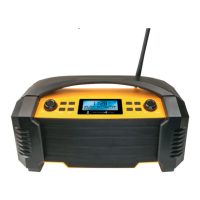
Item number DABWORK2 513
Connections 1x Euro plug (type C)
1x USB 2.0 A socket
1x 3.5 mm jack socket
Power supply 100 – 240 V AC, 50/60 Hz
Power consumption 22 W (max.)
Type of battery Lithium-Ion-battery (rechargeable)
Battery capacity 5000 mAh
Charging voltage USB 5 V DC, 1 A (output only)
Charging time approx. 4.5 h
Battery run time approx. 14 h
Reception frequency DAB: 174.928 – 239.2 MHz (Band III)
FM: 87.5 – 108 MHz
Memory 80 (40 DAB / 40 FM)
Bluetooth
®
version V5.0
Bluetooth
®
frequency 2.402 – 2.480 GHz
Maximum radiated transmitting
power
5 dBm
Speaker power 15 W RMS
Display size 2,75”
Protection class IP54
Ambient temperature 0° C - +35° C
Cable length 1.7 m
Dimensions (WxHxD) 320 x 175 x 150 mm
Product material Plastics, metal grille
Colour Black/yellow
Weight 2380 g


 To Next Page