36
CUSTOM
HR (Heart Rate) TARGET USER DEFINED
Use Case 4: Programs and Their Brickyards
REVED : 021514
RELEASE: C
QUICKSTART (press and hold to customize
program)
QUICK GOAL
Distance
Time
Calories
TRAIN
1 MILE PACER
5K PACER
10K PACER
Endurance 1
Endurance 2
Performance 1
Performance 2
CHALLENGE
1 MILE BEST
5K BEST
10K BEST
WEIGHT CONTROL
Fat Burn 1
Fat Burn 2
CALORIE BURN
(SCH) (NLS)
150 SPEED
200 INCLINE
300 BOTH
HEART HEALTH
Healthy 55%
Fat Burn 65%
Aerobic 75%
Anaerobic85%
INTERVAL
LOW IMPACT
HIIT/SPEED
HIIT+INCLINE
CUSTOM
HR TARGET
CUSTOM
INTERVAL-SPD
INTERVAL-INC
CUSTOM PLUS
WARM UP
COOL DOWN
PERFORMANCE 1:
ENDURANCE 1:
FAT BURN 2:
Fast Burn – steady pace with high intensity
(moderate incline / moderate speed)
Default MAX SPEED : 5 mph
CALORIE BURN (NLS):
(use brickyard for each
option)
FAT BURN 1:
Slow Burn – steady pace with low intensity
(low incline / low speed)
Default MAX SPEED : 5 mph
PERSONAL BEST:
COMPARE:BEST is automatically selected with
this program, Console uses BEST pace from
previous workout if this distance has not been
previously done.
TRAIN/PACER:
COMPARE:AVERAGE is automatically selected by
this program, Console uses AVG pace from
previous workout if this distance has not been
previously done.
ENDURANCE 2:
[ 1299 machine ]
HEART HEALTH:
Default MAX SPEED : 7 mph
LOW IMPACT/INCLINE:
HIIT/SPEED:
SPEED + INCLINE:
HEART RATE TARGET:
CUSTOM PROFILE:
(will use the default
brickyard from next
two Workouts)
SPEED INTERVAL:
INCLINE INTERVAL:
CUSTOM INTERVAL:
CUSTOM WARM UP
/ COOLDOWN:
CALORIE BURN (SCH):
Incline. Speed is preset.
Default MAX SPEED : 1 mph
Default MAX SPEED : 3 mph
Default MAX SPEED : 2 mph
Default MAX SPEED : 7 mph
Default MAX SPEED : 7 mph
Default MAX SPEED : 7 mph
Default MAX SPEED : 7 mph
Default MAX SPEED : 1 mph
Default MAX SPEED : 5 mph
Default MAX SPEED : 1 mph
QUICK GOAL and PACER brickyard (s):
Default MAX SPEED : 9 mph
Default MAX SPEED : 1 mph
Default MAX SPEED : 9 mph
C
C
C
C
Boot Camp:
Use Case 4: Programs and Their Brickyards
REVED : 021514
RELEASE: C
QUICKSTART (press and hold to customize
program)
QUICK GOAL
Distance
Time
Calories
TRAIN
1 MILE PACER
5K PACER
10K PACER
Endurance 1
Endurance 2
Performance 1
Performance 2
CHALLENGE
1 MILE BEST
5K BEST
10K BEST
WEIGHT CONTROL
Fat Burn 1
Fat Burn 2
CALORIE BURN
(SCH) (NLS)
150 SPEED
200 INCLINE
300 BOTH
HEART HEALTH
Healthy 55%
Fat Burn 65%
Aerobic 75%
Anaerobic85%
INTERVAL
LOW IMPACT
HIIT/SPEED
HIIT+INCLINE
CUSTOM
HR TARGET
CUSTOM
INTERVAL-SPD
INTERVAL-INC
CUSTOM PLUS
WARM UP
COOL DOWN
PERFORMANCE 1:
ENDURANCE 1:
FAT BURN 2:
Fast Burn – steady pace with high intensity
(moderate incline / moderate speed)
Default MAX SPEED : 5 mph
CALORIE BURN (NLS):
(use brickyard for each
option)
FAT BURN 1:
Slow Burn – steady pace with low intensity
(low incline / low speed)
Default MAX SPEED : 5 mph
PERSONAL BEST:
COMPARE:BEST is automatically selected with
this program, Console uses BEST pace from
previous workout if this distance has not been
previously done.
TRAIN/PACER:
COMPARE:AVERAGE is automatically selected by
this program, Console uses AVG pace from
previous workout if this distance has not been
previously done.
ENDURANCE 2:
[ 1299 machine ]
HEART HEALTH:
Default MAX SPEED : 7 mph
LOW IMPACT/INCLINE:
HIIT/SPEED:
SPEED + INCLINE:
HEART RATE TARGET:
CUSTOM PROFILE:
(will use the default
brickyard from next
two Workouts)
SPEED INTERVAL:
INCLINE INTERVAL:
CUSTOM INTERVAL:
CUSTOM WARM UP
/ COOLDOWN:
CALORIE BURN (SCH):
Incline. Speed is preset.
Default MAX SPEED : 1 mph
Default MAX SPEED : 3 mph
Default MAX SPEED : 2 mph
Default MAX SPEED : 7 mph
Default MAX SPEED : 7 mph
Default MAX SPEED : 7 mph
Default MAX SPEED : 7 mph
Default MAX SPEED : 1 mph
Default MAX SPEED : 5 mph
Default MAX SPEED : 1 mph
QUICK GOAL and PACER brickyard (s):
Default MAX SPEED : 9 mph
Default MAX SPEED : 1 mph
Default MAX SPEED : 9 mph
C
C
C
C
Boot Camp:
Workout Prole and Goal Program
TheConsoleletsyouselecttheProleProgramandtypeofGoalforyourworkout(Distance,TimeorCalories),andset
the Goal value.
Note:ForcertainProfilePrograms,theGoalcannotbeadjusted(example:the5KPacerworkouthasaDistanceGoal
of 5K).
1. Stand on the Side Foot Support Platforms.
2. PushtheUserbuttontoselectthedesiredUserprole.
3. Push the Programs buttons to select a Category of Workout.
4. Push the Increase() or Decrease() buttons to select a Profile Workout, and push OK.
If the selected Workout is Heart Rate Target, the Console will request the desired Beats Per Minute (BPM) for the
Workout. Use the Increase() or Decrease() buttons to adjust, and push OK.
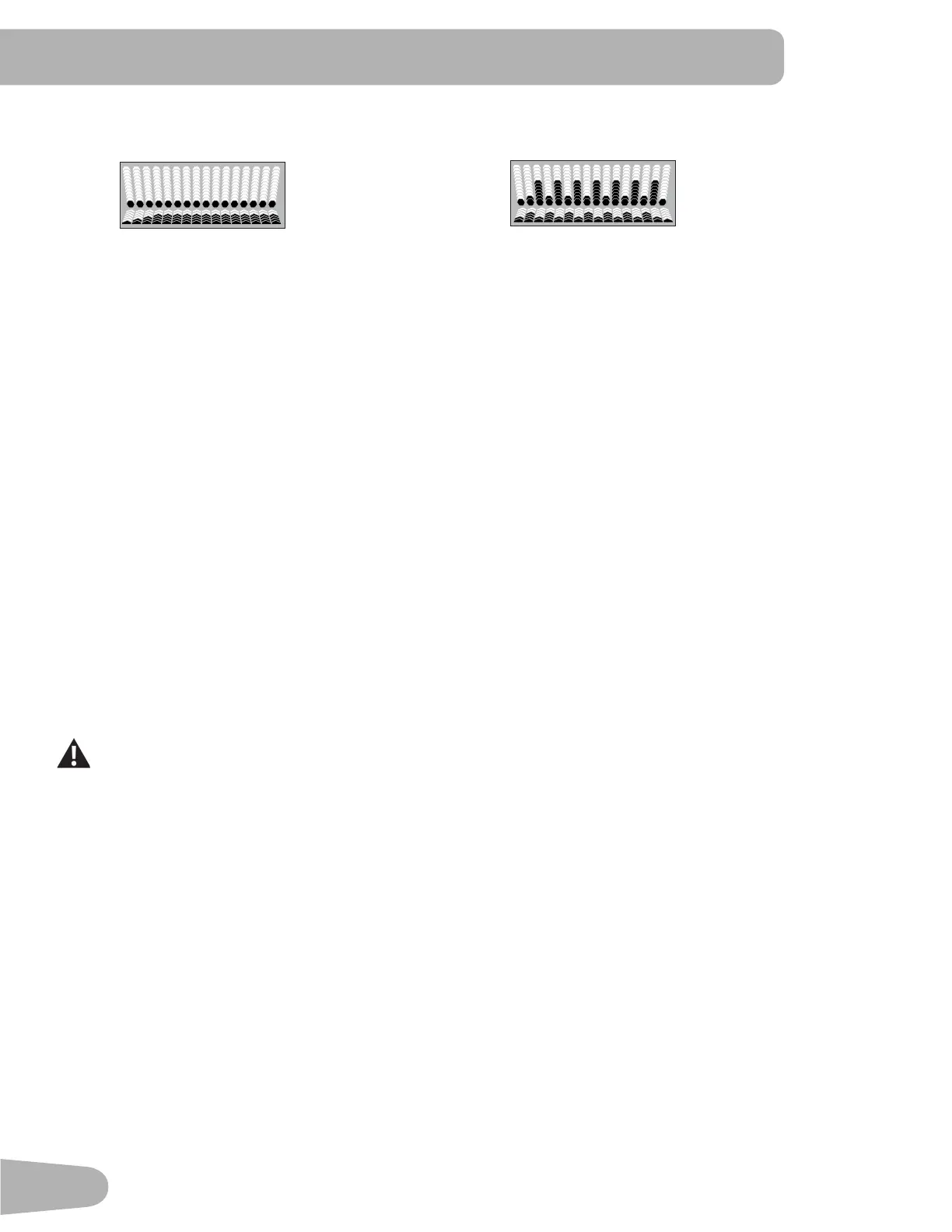
IftheselectedWorkoutProgramhasInclineand/orSpeedProlecustomization,theConsolewillprompt,“EDIT
INCLINE” screen. Push the Increase() or Decrease() buttons to change the current setting, and push the Left() or
Right() buttons to shift the active Profile segment. PushOKtoaccepttheInclineProle.
Note: The “EDIT SPEED” screen operates the same way.
5. Use the Increase() or Decrease() buttons to adjust the Minimum Speed of the Belt, and push OK. The Profile
Program will adjust so the Minimum Speed value is the lowest Speed of the Profile Program when accepted.
6. Use the Increase() or Decrease() buttonstoadjusttheMaximumSpeedoftheBelt,andpushOK.TheProfile
ProgramwilladjustsotheMaximumSpeedvalueisthehighestSpeedoftheProfileProgramwhenaccepted.
During a Workout, the User can directly adjust the speed of the belt above the Maximum Speed setting if
desired.
7. Use the Increase() or Decrease() buttons to select a type of Goal (Distance, Time or Calories), and push OK.
8. Use the Increase() or Decrease() buttons to adjust the workout value, and push OK.
9. The Console will display the “READY ?” prompt.
10. Push START to begin the goal-oriented workout. The workout will begin after a three second, audible countdown.
Note: The Console will display “RAMPING UP” as the Walking Belt gets up to speed.
Heart Rate Control Workout Programs
The Heart Rate Control programs let you set a heart rate goal for your workout. The program monitors your heart rate in
beats per minute (BPM) from the Contact Heart Rate (CHR) sensors on the machine or from a Heart Rate Monitor (HRM)
chest strap, and adjusts the incline during a workout to keep your heart rate in the selected zone.
Note: The console must be able to read the heart rate information from the CHR sensors or HRM for the Heart Rate
Control program to work correctly.
The Target Heart Rate programs use your age and other User information to set the Heart Rate Zone values for your
workout. The console display then gives prompts for you to set up your workout:


 To Next Page
 Loading...