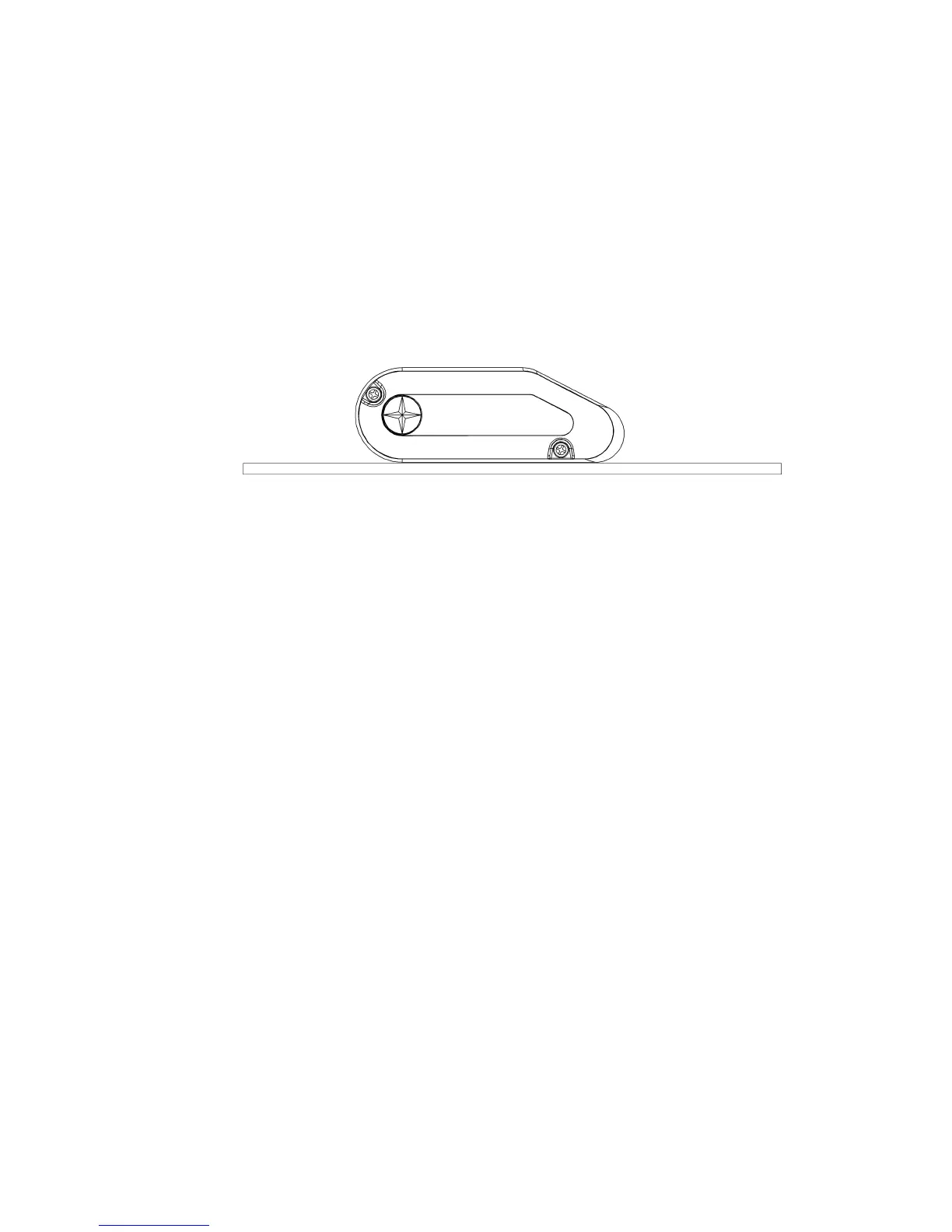
ZeroGCalibrationisdoneatthefactory.DonotdoZeroGCalibrationforanewPowerSensor(freshoutofthebox).OnlydoZeroG
CalibrationafterFullUpcalibrationifthedatavaluesforpowerarefaroutofthevalidrange—forexample,theconsoledisplay
shows12wattsinsteadof200watts.
NOTICE:ForZeroGCalibrationthePowerSensorMUSTNOTbeinstalledonthebike.ThePowerSensormustbeona
levelhorizontalsurface.Usealeveltomakesurethatthesurfaceishorizontal.
• •
•
IfthePowerSensorisinstalledonthebike,removethescrewsthatattachittothebike.RefertotheSchwinn®MPower™
PowerUpgradeInstallationGuide.
• •
•
SetthePowerSensoronalevelhorizontalsurface.Makesurethatthelongflatsideofthehousingpointsdown.
• •
•
TaptheAVG/ENDorSTAGEbuttontogotothe0G(Stage0)option.
• •
•
PushandholdtheBacklightbuttonfor3secondstomakeyourselection.
• •
•
Thetimerstartstocountdown.
• •
•
LookfortheresultfromthePowerSensorontheconsoledisplay.Themessage“PASS”showsifthecalibrationresultis
satisfactory.Themessage“FAIL”showsifthetimercounteddowntozeroandthecalibrationresultisunsatisfactory.
FunctionalityTest
TheFunctionalityTestdoesacheckforconsistencybetweentheConsole,SpeedSensorandPowerSensor,andthequalityof
radiofrequency(RF)reception.TheConsoletransmitsaCalibrationtestmessageinbroadcastmodetothePowerSensor,
andthePowerSensortransmitsbackdataforanalysis.ThetestcomparesthePowerSensordataforAngle,WattsandRPM
toRPMdatafromtheSpeedSensor,toidentifymissingdataintheradiomessages.Atimerstartswhentheteststartstohelp
calculatetheamountoferrors.
17 17
17
ZeroGCalibration



 To Next Page