WorkoutTotals
TheTOTALdisplayfieldshowsthetotaltimeanddistanceresultsattheendoftheworkout.TheTotaliconislitduringWorkoutMode.
LCD+and–Icons
The+and–(plusandminus)iconsontheLCDflashtoprompttheusertoentertheirweightduringUserSetupMode.The
iconsturnoffwhennotinuse.
Keypad
Themulti-functionkeypadletsyousettheconsolemeasurementsforyourworkout,seeandupdateyourworkoutdata,and
examinetheconsolediagnosticmessages.TapanybuttontoactivatetheconsolefromSleepMode.TheOperationssectionof
thismanualgivestheproceduresforusingthebuttonsineachOperationsmode.TheBacklightbuttonsetsyourselectionsin
UserSetupModeandServiceMode.
Alerts
TheConsoleiconsandLCDdisplaymessagesshowthestatusoftheconsoleandsensoroperations.
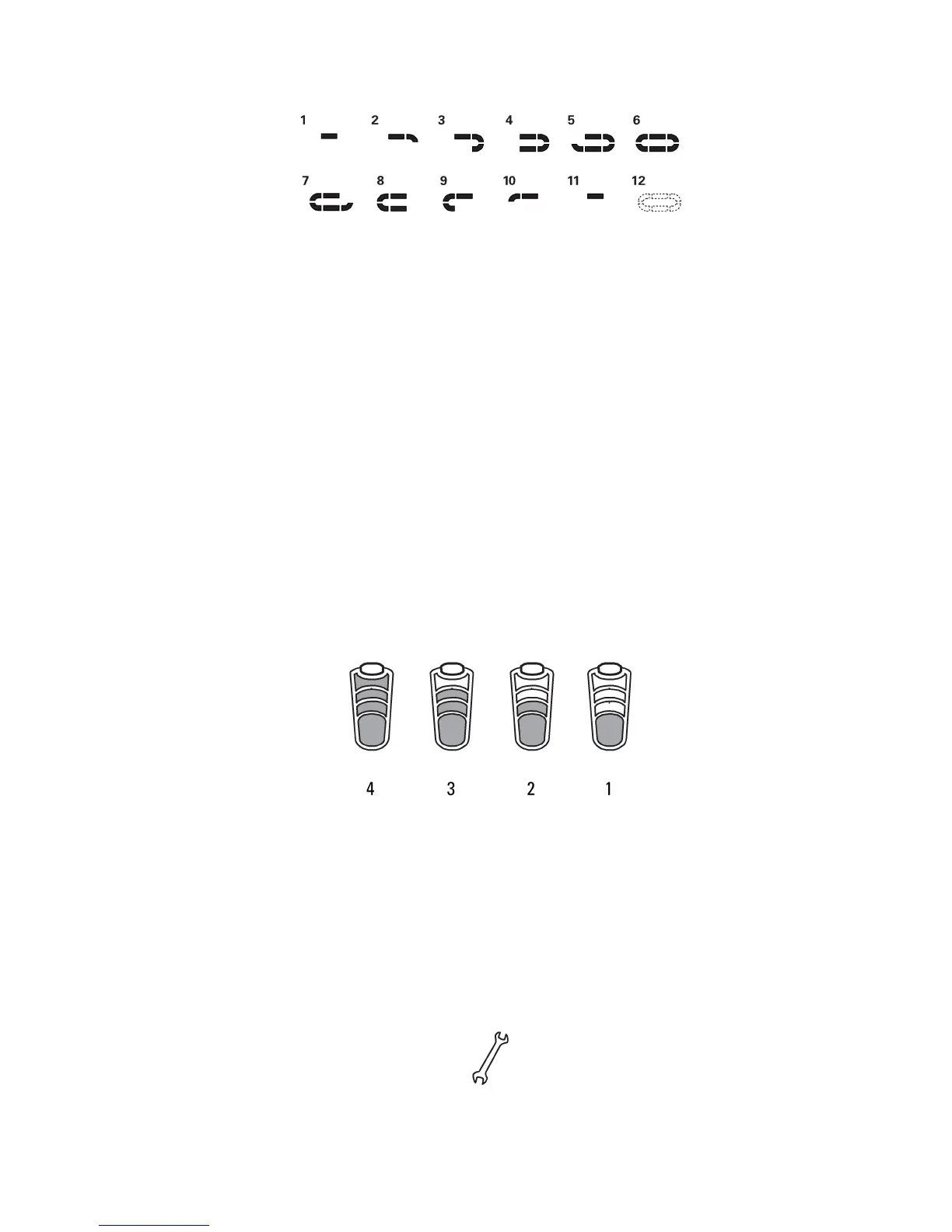
BatteryLevel
TheBatteryLeveliconshowstheoverallbatterylevelfortheconsole-sensorsystem.All4segmentsoftheiconareonwhen
thebatterylevelishigh.Whenthebatterylevelislow,onlythebottomsegmentison.Thebottomsegmentflasheswhenbattery
levelisverylow.
Ifthesystembatterylevelislow,gototheServiceModemenu.UsetheAPmenuoptiontoseethelevelsoftheconsole
andsensorbatteries.
Ifthebatterylevelistoolowtocontinueoperation,theconsoledisplayflashesthemessage“LObatt”andtheconsolegoesinto
SleepMode.Ifthisoccursduringaworkout,theworkoutstopsandtheconsoledisplayshowstheworkoutresultsfor10seconds.
Thenthe“LObatt”messageshowsandtheconsolegoesintoSleepMode.
MaintenanceAlert
TheMaintenanceAlerticonblinkswhenamaintenanceconditionoccurs.LookforerrormessagesontheLCDdisplay.Refer
totheTroubleshootingsectionofthismanual.TogototheServiceModemenu,pushtheAVG/ENDandSTAGEbuttonsand
holdfor5seconds.
7 7
7



 To Next Page