
 Need help?
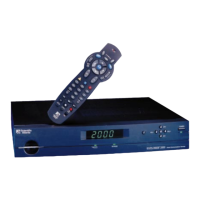
Do you have a question about the Scientific Atlanta EXPLORER 2000 and is the answer not in the manual?
Safety notes for installers, handling liquid/moisture, and general warnings.
Guidelines for proper placement, ventilation, and cleaning of the equipment.
Information on power sources, grounding, and when to seek professional servicing.
Conditions under which the equipment requires professional service or repair.
Identifies buttons and functions of the Model 8650-ER1 remote control.
Explains remote control functions for screen navigation, VCR, and device control.
Identifies and describes the controls and indicators on the front panel of the EXPLORER 2000.
Guide to using the interactive program guide for viewing channel information and schedules.
How to use the Quick Settings screen and explanations of its available options.
Covers the General Settings screen and the various user-configurable preferences.
Explains channel icons and television program rating systems.
Instructions for listening to music and using the VCR Commander module.
Details on using the Bypass feature and setting up the Tape and View functionality.
Identifies and explains the ports on the back panel of the EXPLORER 2000.
Guides for connecting the EXPLORER 2000 to various TV, VCR, and audio systems.
Solutions for common problems like no picture, no sound, or remote control malfunction.
Step-by-step instructions for replacing the batteries in the remote control.
Procedures for programming the remote to control the TV and VCR.
Lists of codes for programming the remote to operate various TV and VCR brands.
Instructions for searching codes, identifying programmed codes, and programming volume control.
Information regarding trademarks, disclaimers, documentation copyright, and software/firmware use.
Details on FCC compliance, declaration of conformity, and Canadian EMI regulations.
 General
| Brand | Scientific Atlanta |
|---|---|
| Model | EXPLORER 2000 |
| Category | Satellite TV System |
| Language | English |

 To Next Page