
 Need help?
Do you have a question about the Scientific Games CPU-4.2.2.X and is the answer not in the manual?
Documents and manuals available online for the CPU control subsystem.
Contact details for technical support across different regions.
Safety precautions for handling the CPU components and machine.
Guidelines for proper disposal and recycling of the product.
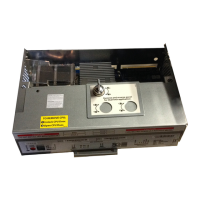
Defines the CPU control subsystem and its components.
Lists required additional items for using the CPU.
Details specifications for CPU locks and spacers.
Specifies the optimal temperature and humidity for CPU operation.
Instructions on how to open the CPU's logic door.
Steps to replace the lock on the logic door.
Procedure for installing an additional lock.
Instructions for removing battery tabs before initial use.
Guide for installing BIOS/JUR SPI module and USB drives.
Describes the CPU control subsystem and its components.
Explains the status indicators on the CPU front panel for machine status.
Details diagnostic information provided by CPU status LEDs and event codes.
Explains the indicator lights on the BIOS module for status information.
Provides procedures for performing various service tasks on the CPU.
Addresses frequently asked questions and common issues for the CPU.
A flowchart to diagnose and resolve issues with the CPU control subsystem.
Describes the backplane board's function and location.
Procedures for servicing the backplane board.
Troubleshooting guidance for backplane issues.
Explains the function and location of the power supply.
Procedures for servicing the power supply.
Troubleshooting guidance for power supply issues.
Routine maintenance tasks for the CPU.
Maintenance procedures for CPU locks.
Lists available spare parts for the CPU control subsystem.
 General
| Brand | Scientific Games |
|---|---|
| Model | CPU-4.2.2.X |
| Category | Control Systems |
| Language | English |

 To Next Page
