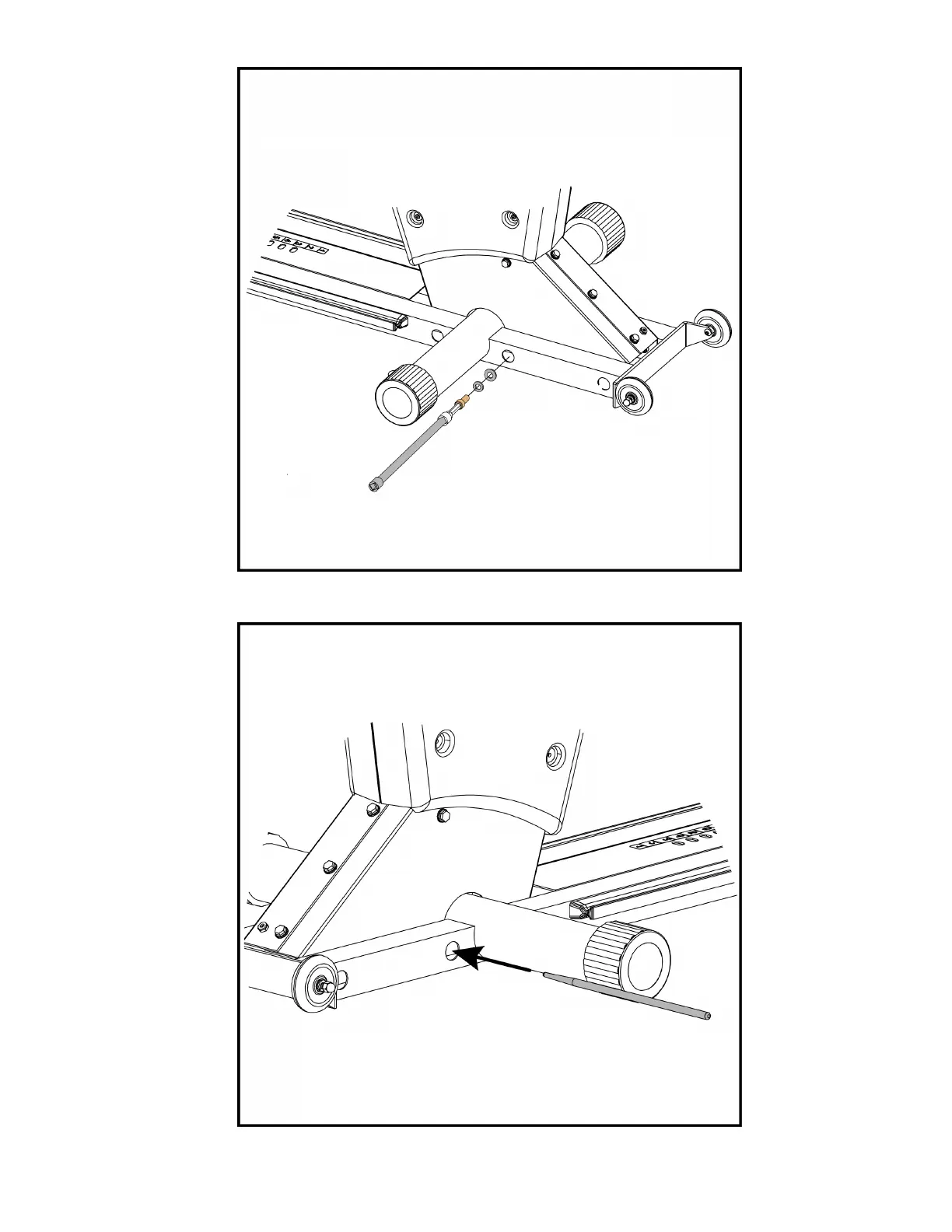
4. Remove the center punch , then take the 12" extension with 5/16" hex bit, screw, split washer and flat washer, then
loosely insert the hardware into the hole where the center punch was located.
5. Go to the left side, then take the 12" center punch and insert it into the second hole from the front (nearest to the
round tube).
Page 10 of 23



 To Next Page