15
OVERVIEW FEATURES/OPERATIONS SAFETY AND EMERGENCY FEATURES
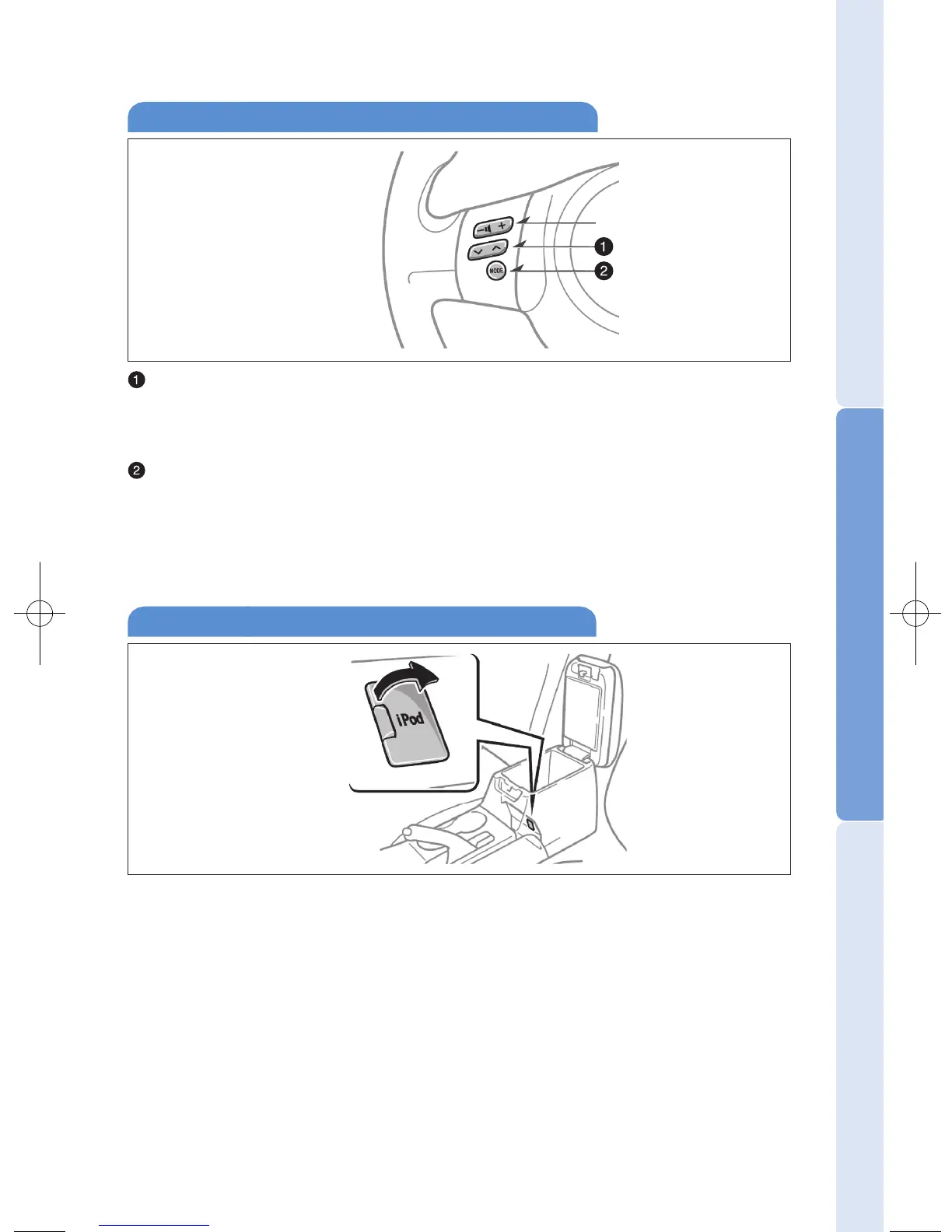
Steering wheel switches
“ ”
-In radio mode Push to select a preset station; push and hold to seek
the next strong station.
-In CD mode Push to skip up or down to a next/previous track.
“MODE”
Push to turn audio ON and select an audio mode. Push and hold to turn
audio system OFF.
Refer to the SCION Audio System Owner’s Manual or the SCION Navigation
System Owner’s Manual for more details.
>
>
iPod jack
By inserting the standard iPod connector cable into the iPod jack, you can
charge the iPod battery, control the iPod functions using the car audio unit
and listen to music from your iPod through the vehicle’s speaker system.
If you do not have a SCION genuine audio system, you will not be able to
use the iPod jack.
Refer to the SCION Audio System Owner’s Manual or the SCION Navigation
System Owner’s Manual for more details.
Volume control
413466M2.qxd 4/1/09 9:35 PM Page 15



 To Next Page
 Loading...