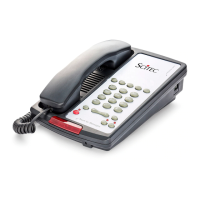
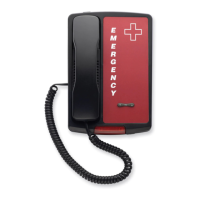
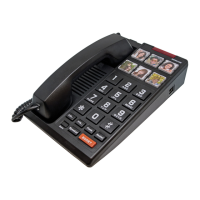
EMERGENCY SERIES
Telephone User Guide
Insert the other end of the cord into the jack on the bottom end
of the handset. Connect the straight line cord from the wall jack
to one of the “Line or Data” jacks located on the rear of the base
unit. Lift the handset. A dial tone should be heard in the receiver.
Installation (2554E)
The 2554E telephone is designed for use behind a registered
PBX system. The telephone user or system installer must supply
an RJ-11W modular wall jack to connect this telephone to the
PBX system. The PBX “station port” type must be “Industry
Standard Analog” or “POTS.” This telephone cannot be used
with “digital” PBX station ports. Insert one end of the coiled
handset cord into the jack on the BOTTOM SIDE of the base
unit. Insert the other end of the cord into the jack on the bottom
end of the handset. Fit the plug on the back of the telephone
into the wall jack. Align the slotted holes on the back of the
telephone over the mounting studs on the wall jack. Pull down
them on the telephone until the studs are locked in place. Lift
the handset. A dial tone should be heard in the receiver.
Aegis-LBE-09 / Aegis-LBE-08 /
2510E / 2554E Telephones
This telephone user guide details installation, programming,
and operation instructions for emergency telephone models.
Please refer to Hospitality Series (Aegis-09/Aegis-08) user
guide for Aegis-LBE-09/Aegis-LBE-08 instructions. Visit the
Scitec website News section and click on Product Notes for
updates to this and other Scitec products.
Package Contents:
• Telephone base unit
• Handset
• Coiled handset cord
• Straight line cord
Installation (2510E):
The 2510E telephone is designed for use behind a registered
PBX system. The telephone user or system installer must
supply an RJ-11 modular wall jack to connect this telephone to
the PBX system. The PBX “station port” type must be “Industry
Standard Analog” or “POTS.” This telephone cannot be used
with “digital” PBX station ports. Insert one end of the coiled
handset cord into the jack on the LEFT SIDE of the base unit.

 Need help?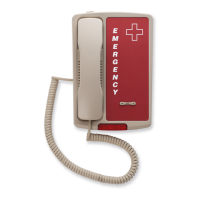

 To Next Page
 General