EasyManua.ls Logo

Scosche BTFREQ BTR3 - User Manual

Scosche BTFREQ BTR3
4 pages
Print Icon
To Next Page IconTo Next Page
Loading...
Question and Answer IconNeed help?

Do you have a question about the Scosche BTFREQ BTR3 and is the answer not in the manual?

Summary

FCC Statement

IC Statement

This device complies with Industry Canada's licence-exempt RSSs and operation is subject to two conditions regarding interference.

Product Overview

Device Components

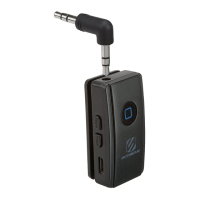
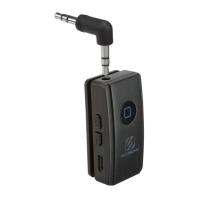
Identifies and describes the physical parts of the BTR3 device, labeled A through K, including inputs, buttons, and indicators.

Using the BTR3

Charging the Device

Instructions for charging the BTR3 for 2 hours using a Micro-USB cable and USB port, noting LED indicators for charging status.

Bluetooth Pairing

Steps to pair the BTR3 with a device by holding the MFB, selecting BTR3 in Bluetooth settings, and confirming with LED indicators.

Connecting to Audio Output

Guide on connecting the BTR3 to headphones, car audio, or home audio systems using the included 3.5mm AUX cable or 90° AUX jack.

Functions and Indicators

Details the operation of buttons for power, track control, volume, and call management, along with LED status indications.

FCC Caution

Interference Guidelines

Explains FCC compliance rules, potential interference, and methods to correct reception issues if the device causes harmful interference.

Summary

FCC Statement

IC Statement

This device complies with Industry Canada's licence-exempt RSSs and operation is subject to two conditions regarding interference.

Product Overview

Device Components

Identifies and describes the physical parts of the BTR3 device, labeled A through K, including inputs, buttons, and indicators.

Using the BTR3

Charging the Device

Instructions for charging the BTR3 for 2 hours using a Micro-USB cable and USB port, noting LED indicators for charging status.

Bluetooth Pairing

Steps to pair the BTR3 with a device by holding the MFB, selecting BTR3 in Bluetooth settings, and confirming with LED indicators.

Connecting to Audio Output

Guide on connecting the BTR3 to headphones, car audio, or home audio systems using the included 3.5mm AUX cable or 90° AUX jack.

Functions and Indicators

Details the operation of buttons for power, track control, volume, and call management, along with LED status indications.

FCC Caution

Interference Guidelines

Explains FCC compliance rules, potential interference, and methods to correct reception issues if the device causes harmful interference.

Scosche BTFREQ BTR3 Specifications

General IconGeneral
Bluetooth Version5.0
Range30 feet
Charging Time1.5 hours
Dimensions2.5 x 1.5 x 0.5 inches
Audio Input3.5mm AUX
Weight0.8 oz
USB Charging PortYes
CompatibilityBluetooth enabled devices
OutputFM transmission
FM Transmitter Frequency Range87.9 - 107.9 MHz

Related product manuals