Quick
Start
Guide
1. Download Nexar from your app store.
For iPhone nxr.cm/ios
For Android nxr.cm/android
2.
Open the app and enable all necessary settings when
prompted, be sure
to
enable Location Services
to
activate
automatic recording when you're driving.
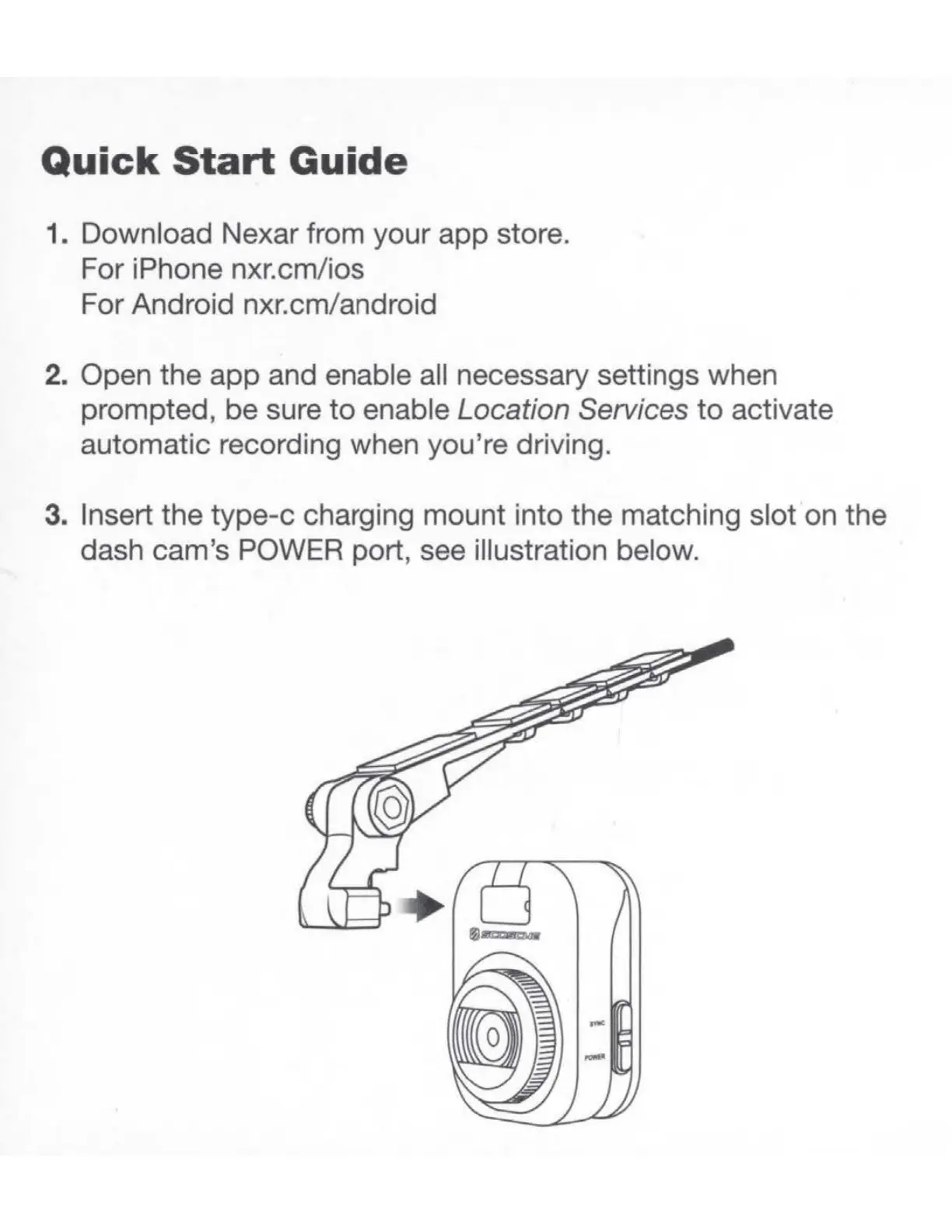
3. Insert the type-c charging mount into the matching slot on the
dash cam's POWER port, see illustration below.



 To Next Page