
 Need help?
Do you have a question about the Scout Guard SG560K-8M and is the answer not in the manual?
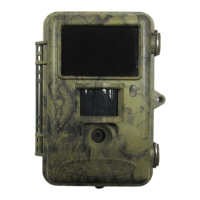
Provides an overview of the camera's features and capabilities.
Details the various uses of the camera for surveillance and monitoring.
Explains the camera's physical interfaces, controls, and displays.
Clarifies button functions and the shooting information displayed on the screen.
Describes the process of saving photos and videos to an SD card.
Lists essential safety guidelines for camera operation, SD card usage, and power.
Covers battery installation and proper SD card handling before use.
Explains how to power on the camera and its three basic operation modes.
Details preview, settings, and playback functions within the TEST mode.
Describes PIR triggering, Timer triggering, and combined PIR&Timer triggering.
Instructions on how to safely turn off the camera.
Guides menu access and setting the camera mode (Photo/Video).
Instructions for formatting the SD card and setting photo resolution.
Covers setting video resolution and configuring the device's date and time.
Explains how to set the number of photos per burst and the duration of video clips.
Details how to adjust PIR sensitivity and set the PIR triggering interval.
Covers configuring the timer triggering interval and the timer switch function.
Explains how to enable/disable time stamping and reset the camera to defaults.
A table summarizing the default parameter settings for the camera.
Information on how and when to upgrade the camera's firmware.
Recommends placement and describes how to mount the camera using a belt or bottom screw.
Illustrates detection ranges at different angles and compares PIR technologies.
Lists detailed technical attributes of the scouting camera, including sensor, resolution, and dimensions.
Enumerate the components included in the camera package.
 General
| Motion Detection | Yes |
|---|---|
| Waterproof | Yes |
| Night Vision | Yes |
| Storage | MicroSD card (up to 32GB) |
| Operation Temperature | -20 ~ +60°C |
| Power Supply | 8x AA Batteries |

 To Next Page