
 Need help?
Do you have a question about the Scout scout and is the answer not in the manual?
Instructions to download the Scout app from the Apple App Store or Google Play Store.
Guide to signing up and verifying your Scout system using the installation code.
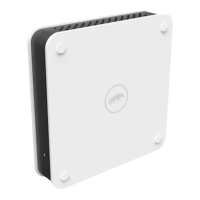
Details about the Scout Hub, its role as the system's brain, and its range.
Instructions for connecting the Scout Hub to a power outlet.
Guide to connecting the Scout Hub to your internet router using an Ethernet cord.
How to confirm the Scout Hub's connection status via a solid green light.
Advice on installing sensors, starting with the one closest to the hub.
Instructions on when to remove battery pull tabs for proper device pairing.
Method for safely removing a mounted sensor by twisting to loosen adhesive.
Details on FCC standards and compliance for home or office use.
Information regarding Z-Wave Plus certification and its network capabilities.
Statement on FCC radiation exposure limits for safe installation and operation.
 General
| Connectivity | Wi-Fi |
|---|---|
| Installation | DIY |
| Sensors | Door/window sensors, motion sensor |
| Mobile App | iOS and Android |
| Monitoring | Optional 24/7 professional monitoring |

 To Next Page