
 Need help?
Do you have a question about the SCOV SV600 Series and is the answer not in the manual?
General safety guidelines for installation, operation, and maintenance.
Crucial safety measures before inverter installation.
Safety steps for moving and installing the inverter.
Essential safety rules for wiring work on the inverter.
Safety measures for operation and debugging.
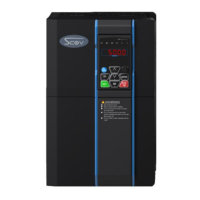
Overview of the different SV600 inverter models.
Explanation of the inverter's nameplate information.
A comprehensive list of SV600 inverter models and their specifications.
Detailed technical specifications for the SV600 series inverters.
Specifies the required environmental conditions for inverter installation.
Guidelines for inverter orientation and clearance.
General guidance for installing the inverter.
Procedures for keyboard installation and its dimensions.
Dimensions and appearance details for inverter installation.
Illustrates the main circuit wiring diagram for the inverter.
Explains the layout and functions of control terminals.
Information regarding Electromagnetic Compatibility (EMC) requirements and standards.
Explains the functions and operation of the inverter's keyboard.
Guide to setting and self-learning motor characteristic parameters.
Lists and describes basic function parameters in Group P0.
Details basic parameters for Motor 1.
Lists vector control parameters for Motor 1.
Outlines V/F control parameters.
Describes the basic function parameters in Group P0.
Details the parameters for Motor 1.
Explains Motor 1 vector control parameters.
Lists V/F control parameters.
Describes the functions and settings of input terminals.
Selects the mode for the HDO terminal output.
Selects the function for HDOR output.
Selects the function for Digital Output 1.
Selects the function for Digital Output 2.
Defines the inverter's start-up mode.
Configures rotational speed tracking during restart.
Selects acceleration/deceleration mode (Linear or S-curve).
Defines the inverter's stop mode (Decelerate or Freely stop).
Assigns a function to the M key.
Configures LED display parameters during running.
Configures LED display parameters when the inverter is stopped.
Sets the frequency for JOG running.
Sets the dead-zone time for rotation direction changes.
Selects terminal protection when power is on.
Sets the detection value for frequency detection (FDT1).
Enables or disables motor overload protection.
Enables protection against short circuits to ground on power-on.
Defines protection actions for various faults (Units digit: Motor overload).
Defines protection actions for various faults (Units digit: User-defined fault 1).
Selects action upon instantaneous power failure.
Enables or disables underload protection.
Sets the value for overspeed detection.
Selects the source for PID target setting.
Selects the feedback signal source for PID control.
Sets the proportional gain (Kp1) for the PID regulator.
Defines the condition for switching PID parameters.
Selects the method for setting swing frequency.
Sets the target length for fixed length control.
Configures the first multi-segment instruction.
Sets the operation mode for simple PLC functions.
Sets the data transmission rate for communication.
Configures the MODBUS data format (parity, stop bits).
Selects the MODBUS protocol (standard or non-standard).
Initializes parameters to factory settings or clears records.
Selects between speed control and torque control modes.
Selects the source for torque setting.
Selects the function for Virtual Digital Input 1.
Sets the status mode for VDI terminals.
Selects the motor type for Motor 2.
Selects the self-learning method for Motor 2.
Sets the upper limit for DPWM switchover frequency.
Selects the PWM modulation mode.
Enables or disables the rapid current limit function.
Sets the minimum input for AI Curve 4.
Sets the minimum input for AI Curve 5.
Corrects AI1 measured voltage value 1.
Sets the target voltage for AO1 output 1.
Displays the status of the digital input terminals.
Displays the status of the digital output terminals.
Displays the pulse input frequency.
Guidelines for routine and periodic inspection of the inverter.
Information on replacing wearing parts like fans and capacitors.
Lists common faults, their causes, and solutions.
Guidance on selecting braking units and resistors.
Wiring diagrams for brake resistors.
Overview of Modbus communication protocol support.
Explains the Modbus function codes supported by the inverter.
Describes communication parameters within the Pd group.

 To Next Page
 General