27
24
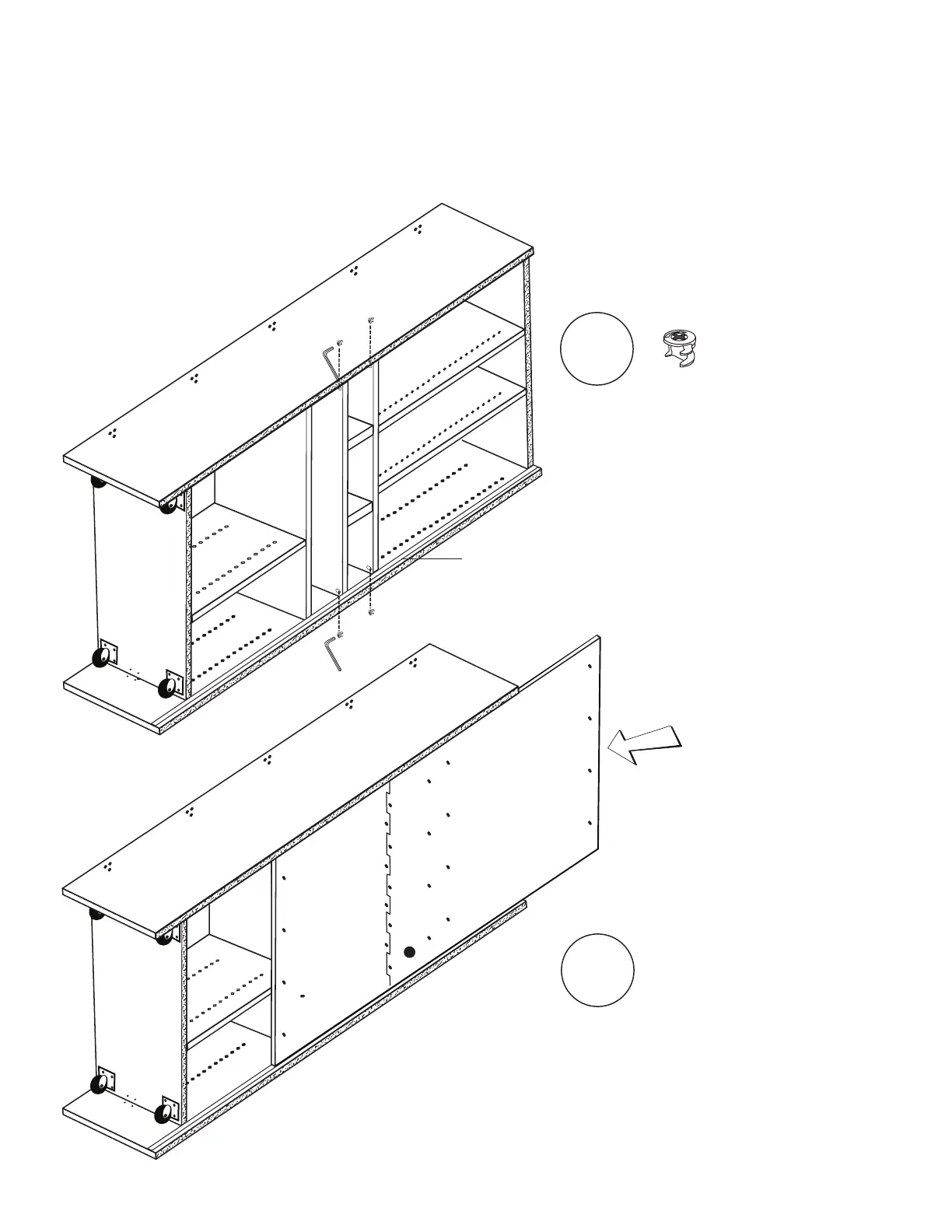
Install remaining (4) Cams
into cam holes on bottom
sides of Shelves 2 & 3.
Tighten using Allen Wrench
until secure.
Locking
Cams
x4
25
Carefully slide Back Panels into
back grooves. Be sure that holes
are aligned with corresponding
pilot holes.
Next, with TWO PEOPLE , carefully turn WorkBox onto Side 1 holding onto Base & Lid.
**To avoid injury or damage to your WorkBox, please do not attempt this step alone.**
Side 1
Back
Groove
Side 2
Side 2



 To Next Page