26
22
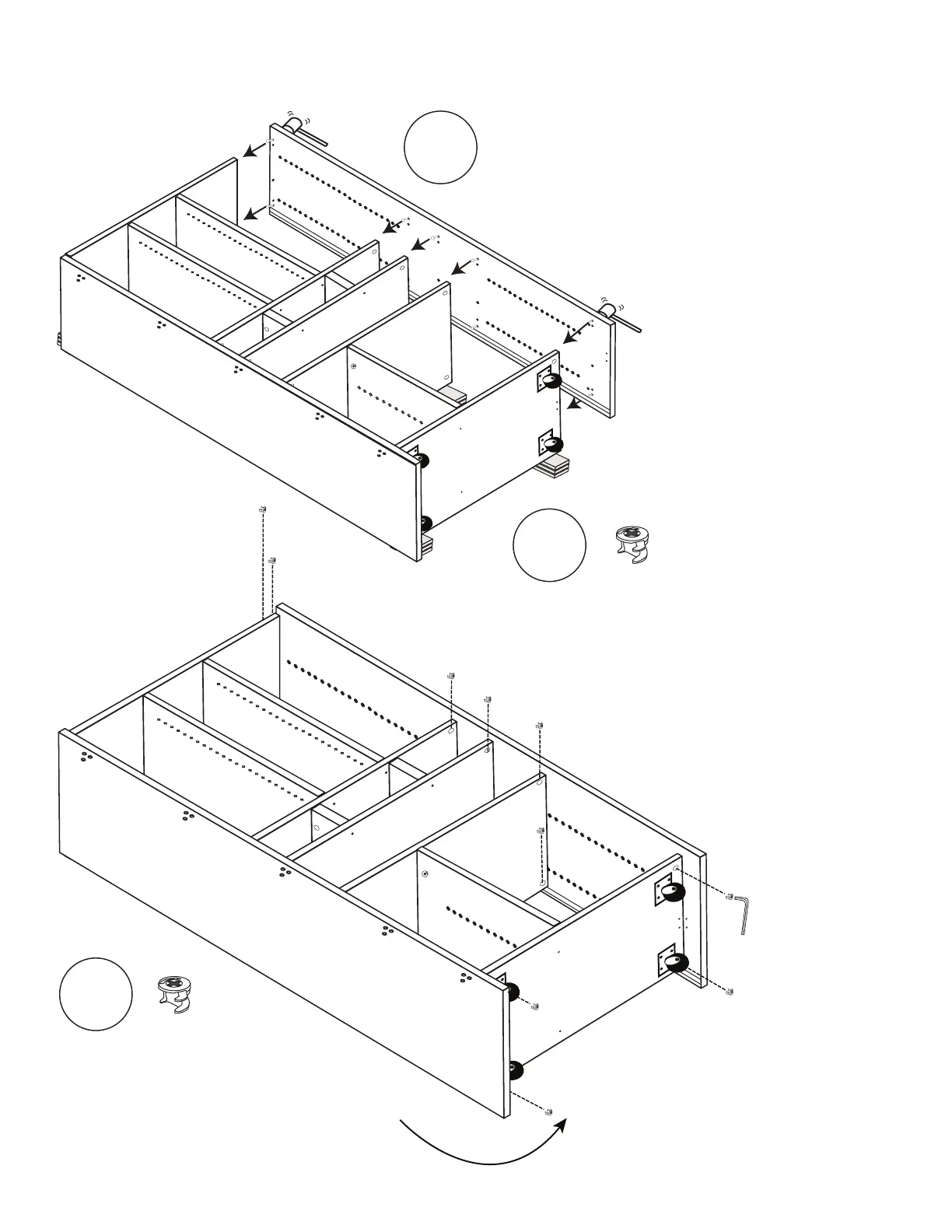
Install (2) more Cams into Cam holes on
front sides of Shelves 2 & 3 (Side 2).
Tighten with Allen Wrench until secure.
Repeat with (4) more Cams in remaining
Cam holes in Shelf 1 and Center Box Lid.
Locking
Cams
x6
Install (4) Cams into Cam holes
on Bottom Side of Base.
Tighten with Allen Wrench until secure.
Locking
Cams
x4
23
21
Side 2
Stand Side 2 on its edge with back
groove at the bottom and be sure posts,
dowels & pins are aligned. Use Mallet to tap
Side 2 CAREFULLY into built sections.
Shelf 1
Shelf 3
Shelf 2



 To Next Page