25
19
20
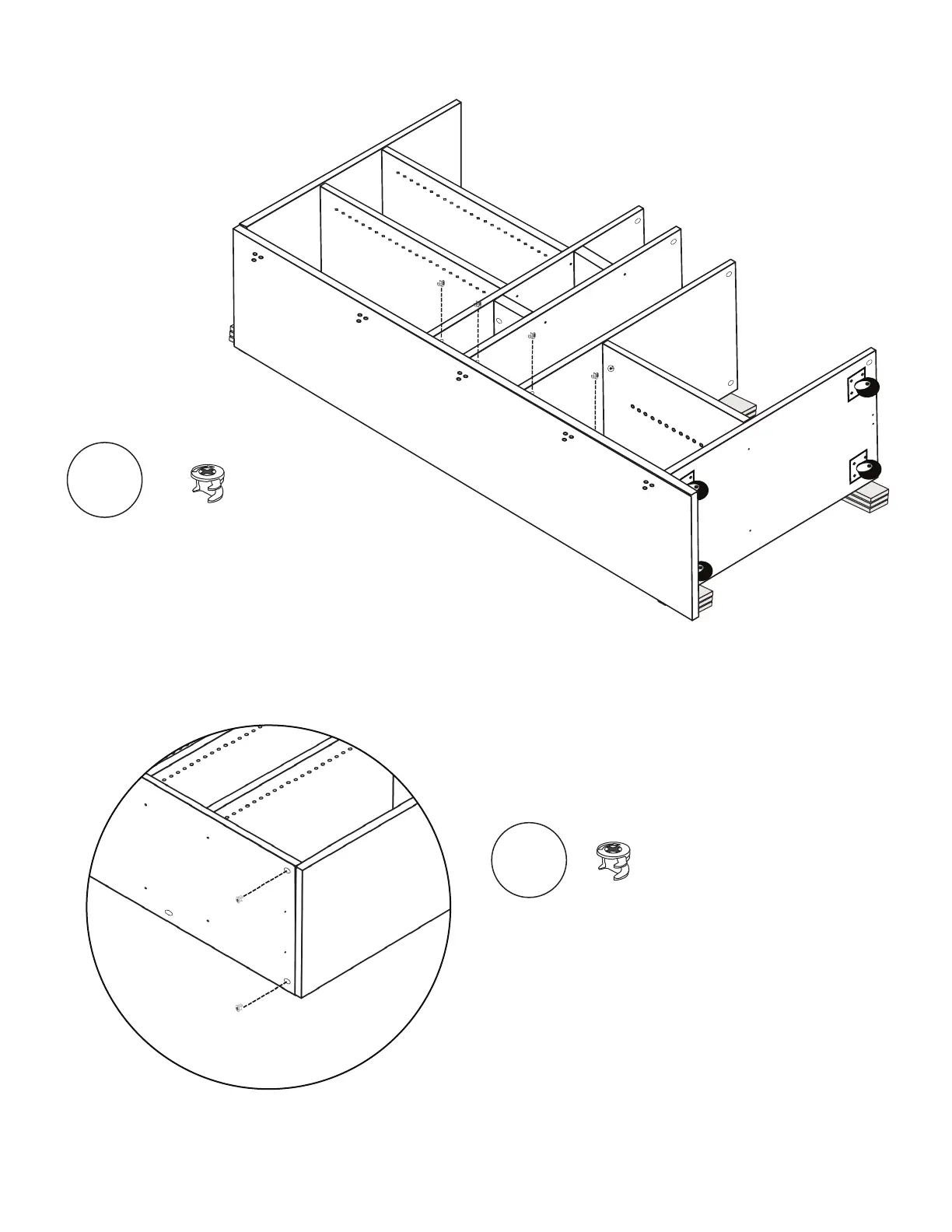
Insert and lock (2) Cams into Shelf 1
on the left side, corresponding with Side 1.
Insert and lock (2) more Cams
into front holes on Shelves 2 & 3.
Install (2) Cams into Cam holes
on Lid corresponding with Side 1.
Tighten with Allen Wrench until secure.
Locking
Cams
x2
Locking
Cams
x4



 To Next Page