TB-9098 Page 6 of 7
© 2020 DESCO INDUSTRIES INC
Employee Owned
SCS - 926 JR Industrial Drive, Sanford, NC 27332
East: (919) 718-0000 | West: (909) 627-9634 • Website: StaticControl.com
Alarm Types
LED(s) Behavior Condition
Mat Solid red Worksurface not
grounded
Operator 1 or 2 Blinking yellow Operator below low
limit threshold
Operator 1 or 2 Solid red Operator above high
limit threshold
Operator 1 or 2 Blinking red Operator body
voltage
Operator 1 & 2 Blinking red Operator remote
disconnected
Operation
Using the Monitor
1. Fit the wristband snugly onto the wrist.
2. Snap the wrist cord to the wristband.
3. Plug the wrist cord into one of the operator jacks
on the Dual Operator Remote. The corresponding
operator LED will illuminate solid green on the 724
Plus Workstation Monitor. This indicates that the
operator is properly grounded.
4. If this does not happen, examine the wrist cord for
continuity or damage and the wristband to ensure
that it fits securely. If you have dry skin, apply an
approved dissipative hand lotion such as Menda
Reztore® ESD Hand Lotion.
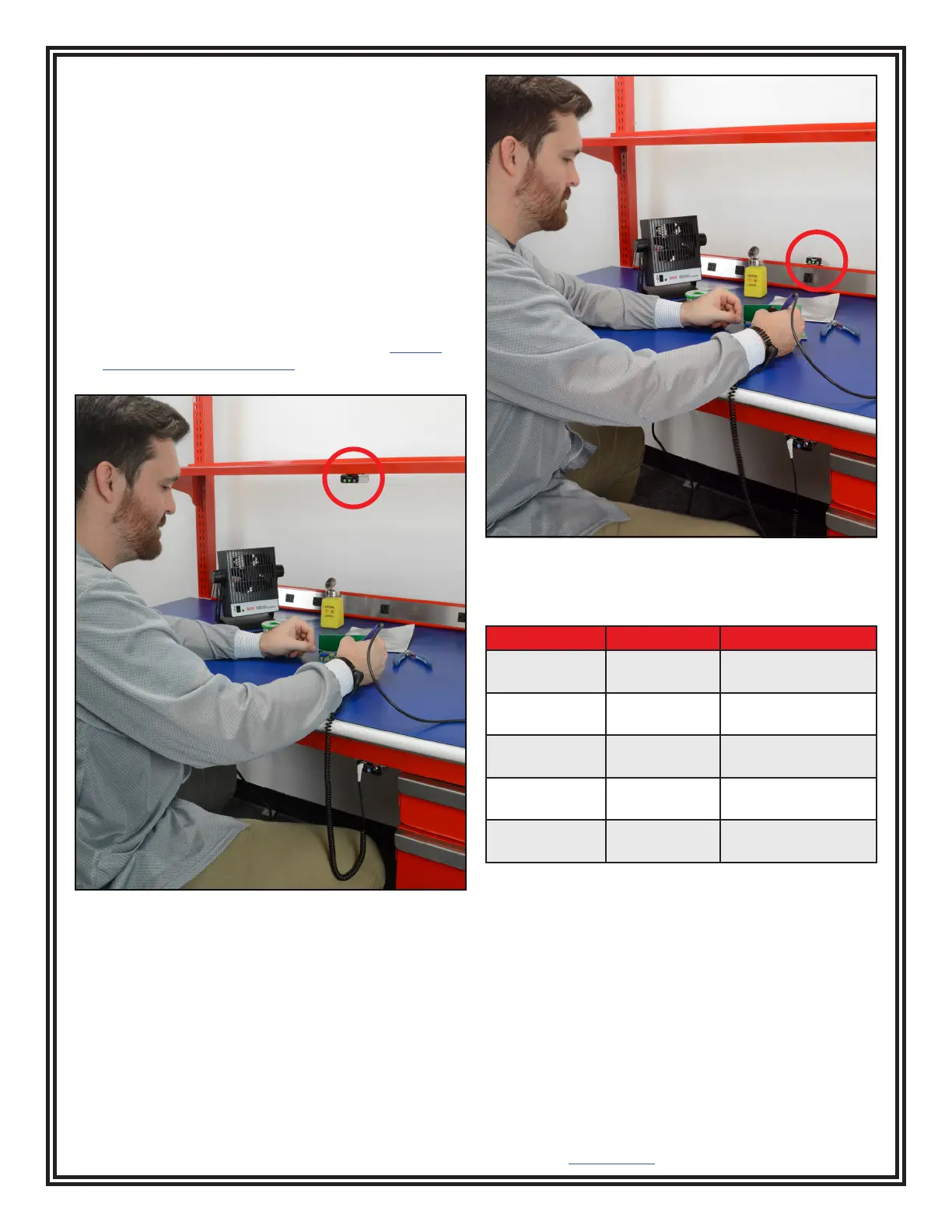
Figure 9. Using the 724 Plus Workstation Monitor when
mounted underneath a surface
Figure 10. Using the 724 Plus Workstation Monitor when
mounted on top of a surface


 To Next Page