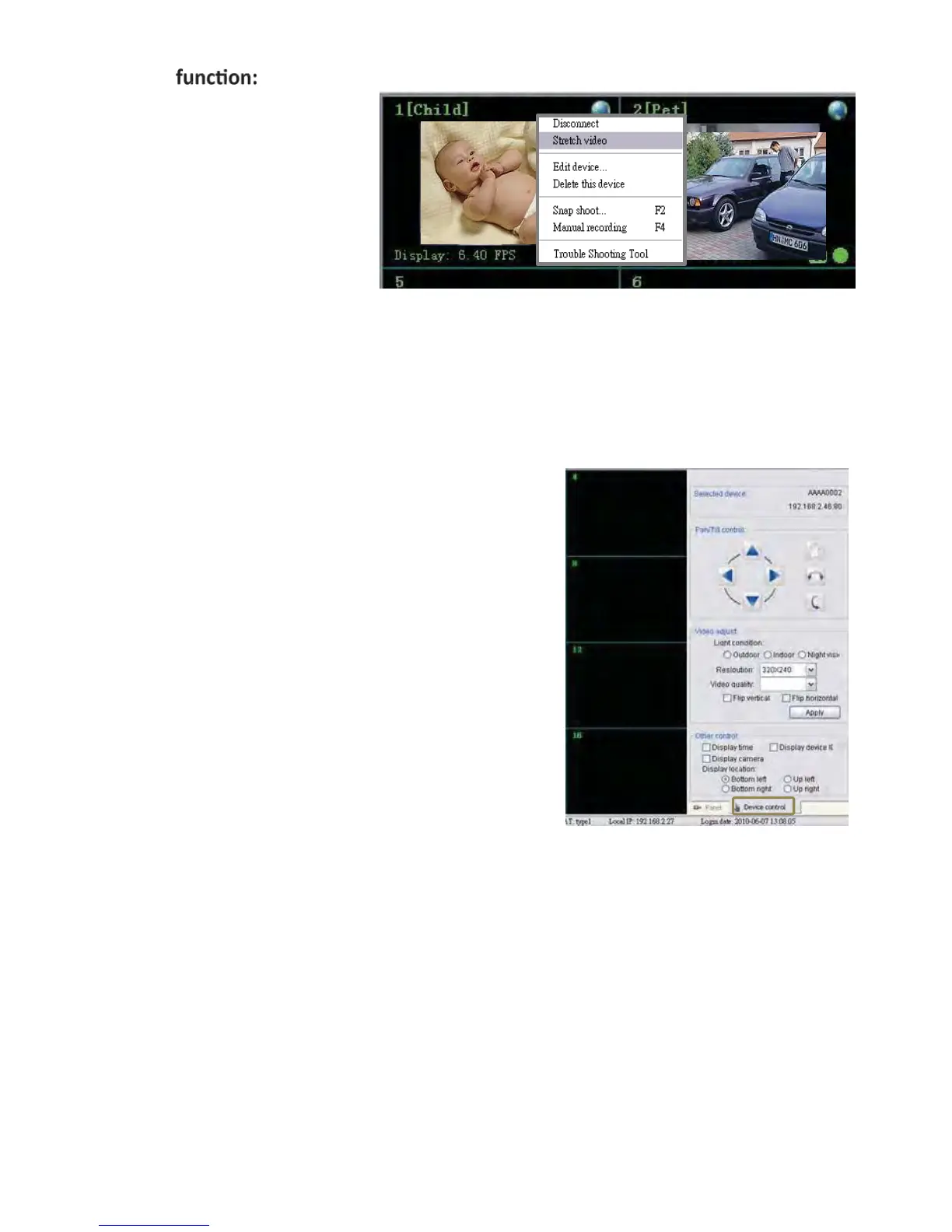
Shortcut
Right click on the display channel
➢ Disconnect:
Disconnect the device.
➢ Stretch video:
Stretch video display.
➢ Edit device:
Edit device Basic Info/Alarm Setting and Schedule recording.
➢ Delete this device:
Delete the selected device.
➢ Snapshot:
Take picture of the selected device.
➢ Manual recording:
Start recording instantly.
E. Device Control
➢ Selected device:
Shows the IP address/ Device ID of the selected camera
➢ P
an/
T ilt Control
For control the camera angle. (For selected model only)
➢ V ideo adjust:
Adjust light condition/resolution/video quality.
Light ccondition: Indoor/Outdoor/Night vision
Resolution:640*480/320*240/160*120
V ideo quality: From highest to lowest



 To Next Page