09
3.4 Multiple Intercom\Multiple Intercom Pairing
Procedure
*Numbers of device which the headset can be paired 4 x S-1 (A,B,C,D), multiple intercom
connections , the connection will occupy channels , thus only unit A can connect to the other two
Bluetooth devices , the others(B,C,D) can only connect to one Bluetooth device .
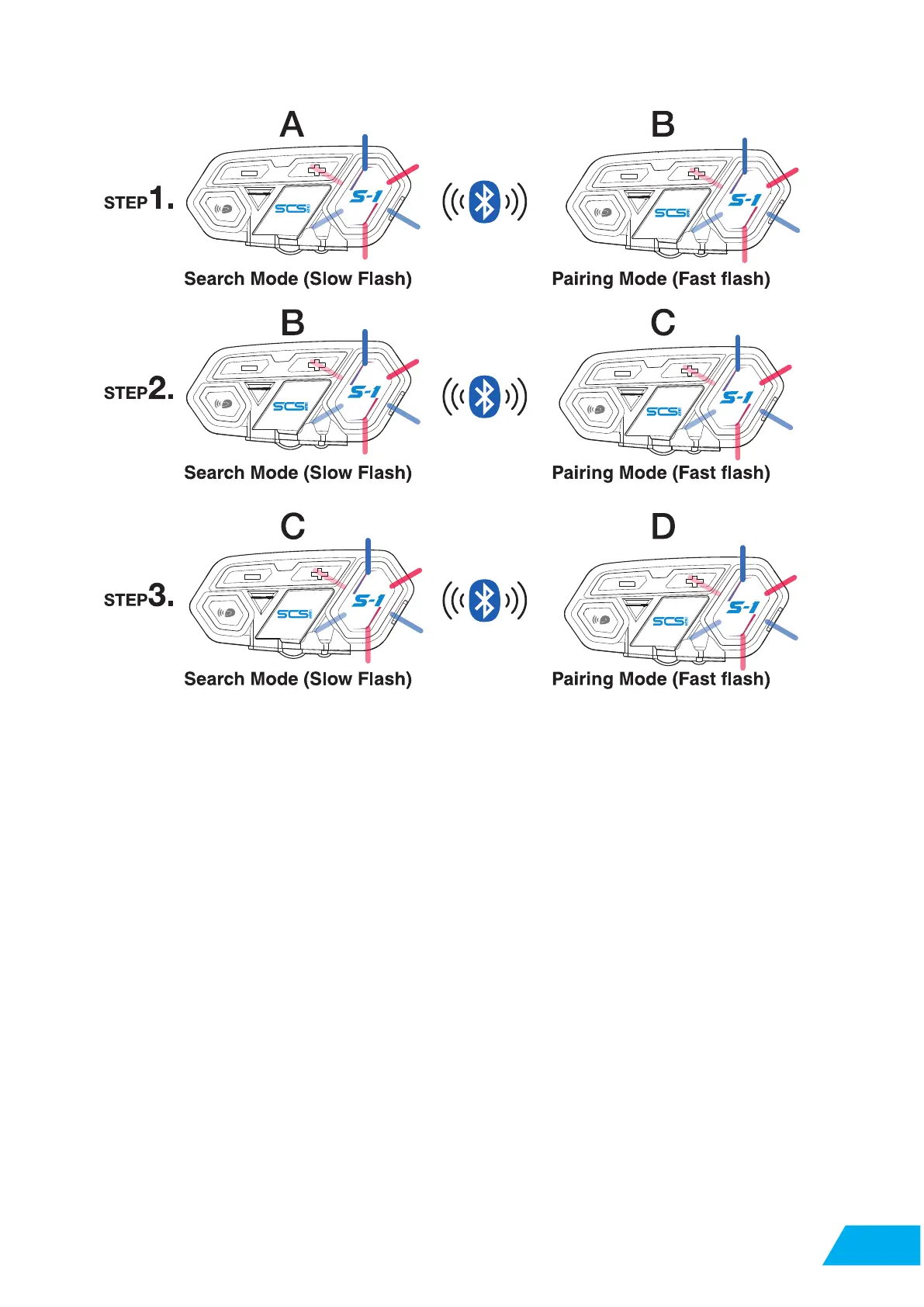
S-1 equipped with multiple intercom function, recommended 4 units, pairing procedure as follow:
Step 1:Switch both A and B unit on , A unit to searching mode (details to 2.1.2), B unit to pairing
mode(details to 2.1.1) , A and B paired up and intercom button indicator on (blue light).
Step 2:Switch C unit on , short press A unit intercom button , when you see intercom button
indicator off , switch B unit to searching mode (details to 2.1.2), C unit to pairing mode
(details to 2.1.1) ,after B and C unit paired up , short press A unit intercom button , then A , B and
C unit paired up .
Step 3:Switch D unit on , short press B unit intercom button , when you see intercom button
indicator off , switch C unit to searching mode (details to 2.1.2), D unit to pairing mode(details to 2
.1.1) ,after C and D unit paired up , short press B unit intercom button , then A , B , C and D unit
paired up .
*Interruption
In multiple intercom mode, if there is an incoming call caused one unit away from the connection,
after call, will reconnected automatically. If interruption is caused by distance or bad signal, please
press intercom button to reconnect.


 To Next Page