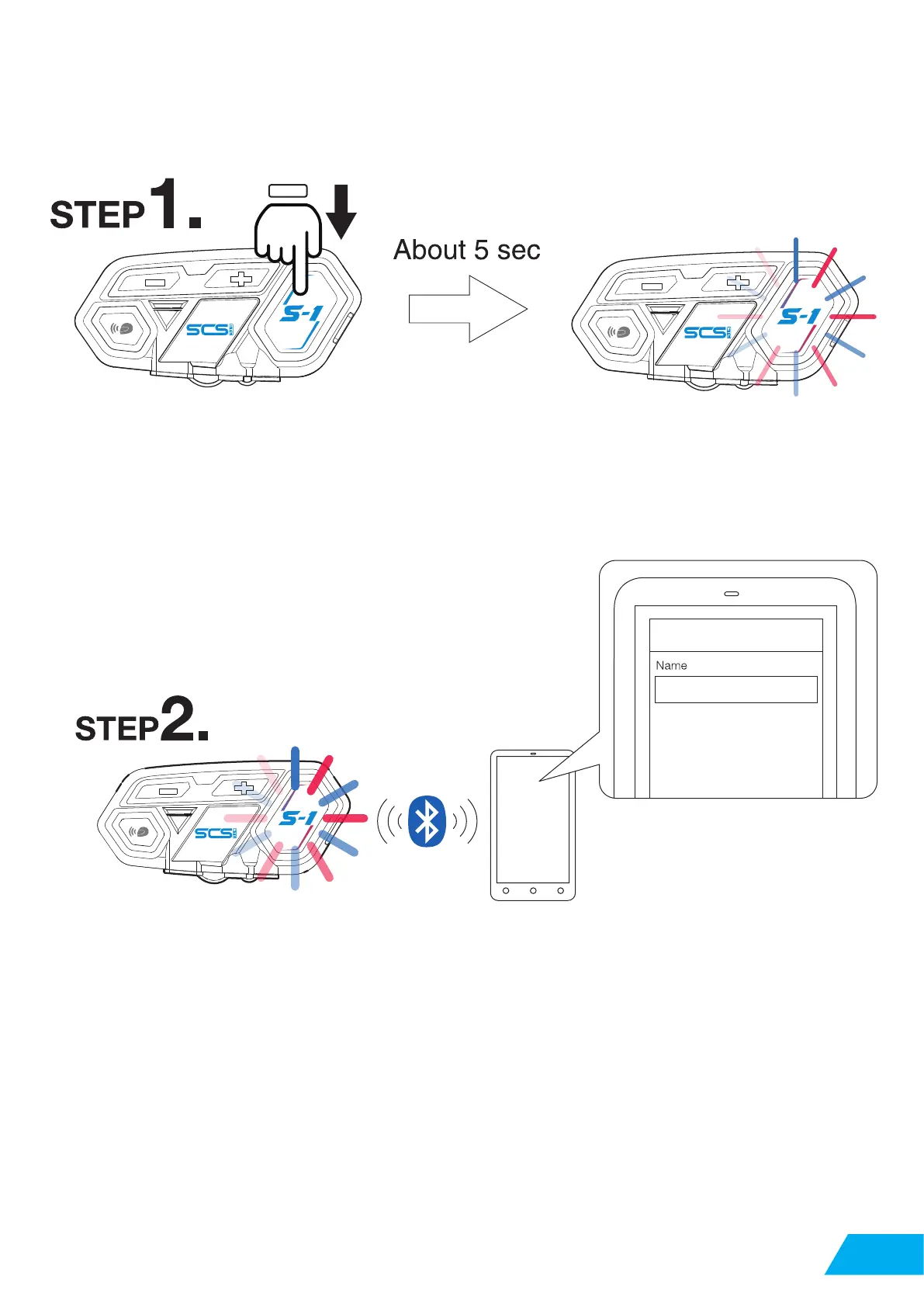
2.2 Pairing With Cellphone
04
When device is on, long press function button
Switch cellphone Bluetooth, choose S-1, the pairing is complete. Voice message will also say
pairing complete.
Remark: when pairing complete, please check both cellphone audio and media audio
are all chosen, otherwise call or music can not be processed.
red and blue light flash in the function
button, entering pairing mode
SCS-S1
04


 To Next Page