04
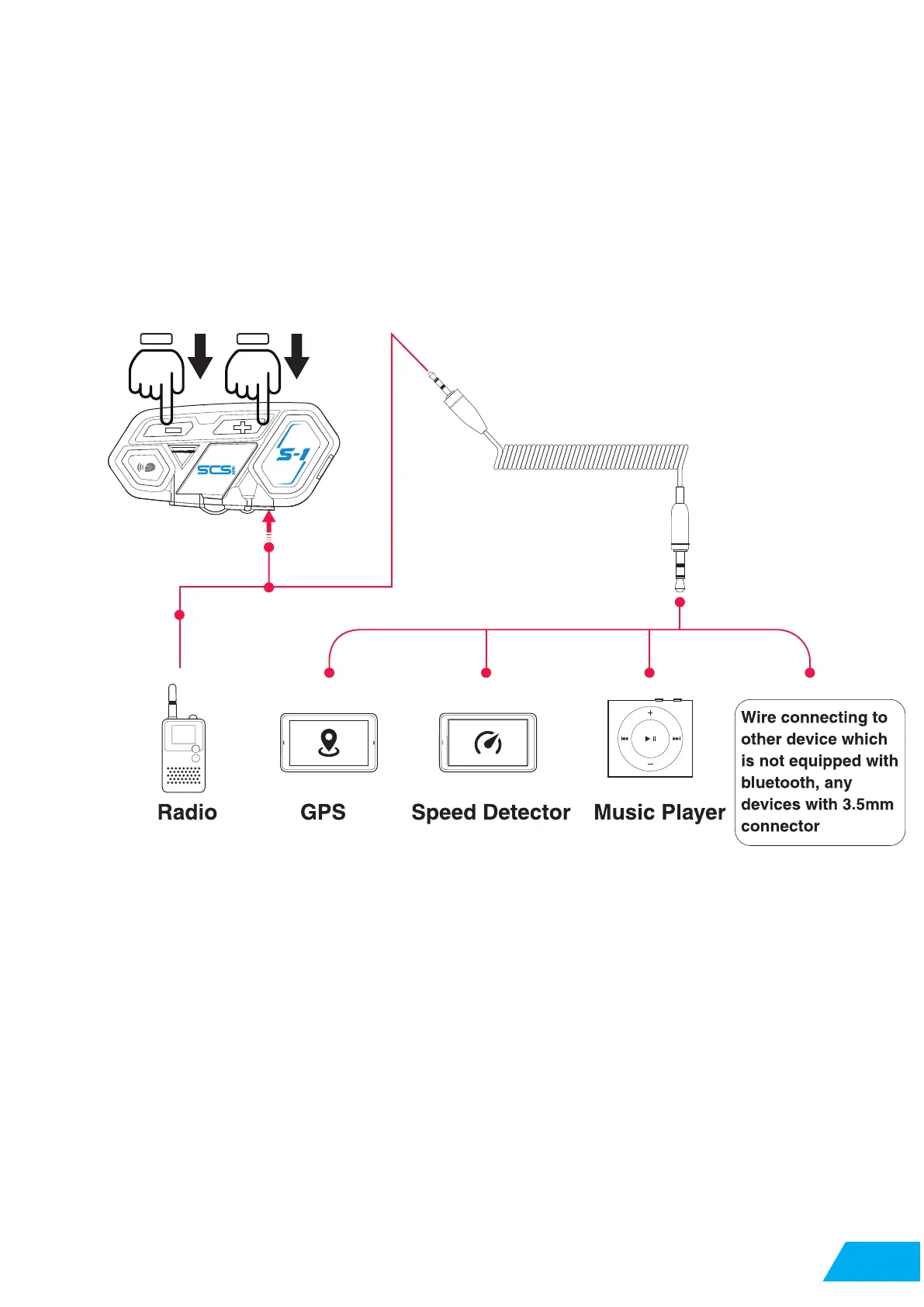
Long press volume + and Volume - for 3 seconds
Any device with 3.5mm connector can transmit voice signal to S-1.
When device wire connected by 2.5mm to 3.5mm cable to S-1 , long press the volume + and
volume - at the same time for 3 seconds to switch on the connection .
*When wire d mode is switched on, it will keep it on until switch off the S-1.
2.3 Cable Connecting
05
05


 To Next Page