3rd: Attaching the Z Axis Module Plate
to the Module Adapter
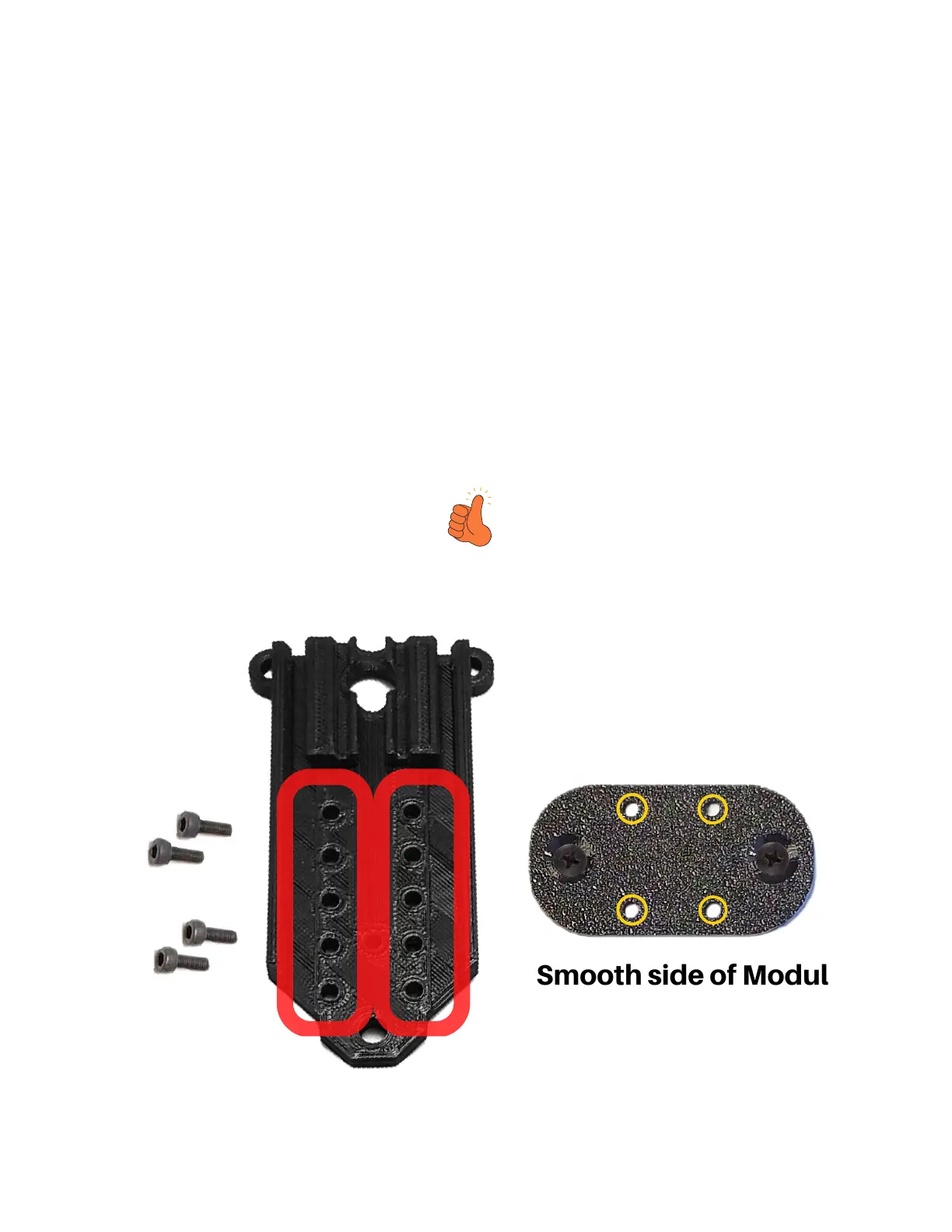
Choose desired position/height of module by
selecting holes on the Module Plate (circled in
red). Mount the Module Plate to the Module
Adapter (Which should now be fastened to your
Sculpfun Module) using four supplied M3
screws. Remember the M3 nuts that we
'sandwiched'? You are screwing these M3
screws into them now (Circled in yellow
below).
Smooth side of Module
Adapter Plate should
be showing (not the
side that says 'S9'


 To Next Page