
 Need help?
Do you have a question about the Seabreeze WM6H424ZMI and is the answer not in the manual?
Important safety warnings and precautions before using the unit.
Guidelines and limitations for unit installation.
Essential operational guidelines and safety rules.
Identifies and labels components of the indoor air conditioning unit.
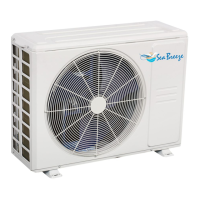
Identifies and labels components of the outdoor air conditioning unit.
Explains the meaning of various symbols shown on the indoor unit display.
Details selectable and outdoor temperature ranges for different modes.
Step-by-step guide to operate the unit manually using the emergency button.
How to adjust horizontal and vertical louvers for airflow direction.
Procedures for cleaning filters and preparing the unit for season start/end.
General usage, distance, signal reception, and battery replacement.
Instructions for installing and using the remote control wall holder.
Lists the available functions and features controllable by the remote.
Explains icons and indicators on the remote and indoor unit displays.
Details the function of each button for basic operations like ON/OFF, temp, fan.
How to select modes (Mode, ECO/GEAR) and features (Clean, Turbo, LED).
Using Timer, Swing, and Breeze Away functions for scheduling and comfort.
Step-by-step guide for operating the unit in AUTO mode.
How to operate the unit in cooling, heating, and fan-only modes.
How to operate the unit in DRY mode for dehumidification.
How to control and interpret the indoor unit's LED display.
How to adjust the airflow direction using the swing function.
How to activate energy-saving ECO or GEAR modes.
How to activate and deactivate the remote control's keypad lock.
How to activate the feature that avoids direct airflow.
How to activate freeze protection mode for extended absences.
How to activate the quiet operation mode for reduced noise.
How to activate rapid cooling or heating.
How to enter function setting mode and select functions.
How to activate the sleep mode for automatic temperature adjustment.
How to use the remote to sense room temperature at its location.
How to enable wireless control via smartphone.
How to set the unit to turn on or off automatically at a specific time.
Provides examples of setting the TIMER ON and TIMER OFF functions.
How to set both TIMER ON and TIMER OFF simultaneously.
How to initiate the unit's self-cleaning process.
Lists error codes requiring service technician intervention.
Addresses issues like unit not starting, poor cooling/heating, and remote problems.
Explains common occurrences during normal operation like compressor protection and fan cycling.
Tips for HEAT mode, mist blowing, and heating limitations.
Details what the product warranty covers and does not cover.
Provides contact information and advice for obtaining technical support.
 General
| Cooling Capacity (BTU) | 24000 |
|---|---|
| Voltage (V) | 208-230 |
| Phase | 1 |
| Refrigerant | R410A |
| Coefficient of Performance (COP) | 3.8 |
| Operating Temperature Range (Cooling) | 43°C |
| Operating Temperature Range (Heating) | 24°C |

 To Next Page