
 Need help?
Do you have a question about the Seagate Barracuda 7200.12 and is the answer not in the manual?
Safe practices for mounting the NVS unit in an equipment rack, ensuring stability and airflow.
Instructions for placing the NVS unit to ensure proper ventilation and prevent overheating.
Notices and steps for connecting essential devices and short-term USB devices to the NVS.
Detailed explanation of the various connectors found on the NVS rear panel.
Information on NVS compatibility with IP cameras, including dual stream and port forwarding.
Overview of front panel buttons, LCD display, and USB 2.0 port functions.
Procedures for powering on, shutting down, and rebooting the NVS system.
How to configure network parameters like IP, Netmask, and Gateway using DHCP or Static IP.
Navigating the On-Screen Display (OSD) menu for system information, logs, and software upgrades.
Minimum and recommended PC specifications for running the remote monitoring software.
Steps for installing the monitoring software, including crucial internet and security settings.
Procedure for logging into the NVS and managing user access via the remote interface.
Viewing live feeds, adjusting display modes, and controlling IP dome cameras.
How to use digital zoom for detailed views and its impact on CPU resources.
Initiating instant recordings and playing back recorded video from the NVS or PC.
Process for verifying recorded video files using digital signatures to ensure no alteration.
Understanding the controls and indicators available during video playback sessions.
Overview of the main OSD menus: System, Camera, Record, Event, Database, Configuration, PoE, Shutdown.
Configuring event detection, alert notifications, and email attachments for triggered events.
Managing HDD status, estimating recording capacity, and implementing data protection.
Importing/exporting configurations, reviewing system logs, and checking PoE port status.
Procedures for shutting down, rebooting, and scheduling automatic reboots for the NVS.
How to search, view, and access video for recorded alarm events in the event list.
Capturing and saving screenshots from the NVS interface using the snapshot tool.
Monitoring the health, size, and temperature of the NVS hard drives.
Configuring main and dual stream settings for live video to optimize display quality and network load.
Resolving issues with repeated software update requests by clearing temporary internet files.
 General
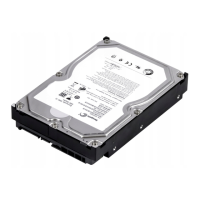
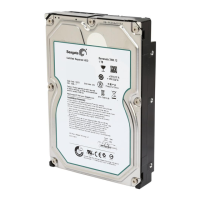
| Interface | SATA 3Gb/s |
|---|---|
| RPM | 7200 RPM |
| Form Factor | 3.5 inch |
| Average Latency | 4.16 ms |
| Transfer Rate | Up to 125 MB/s |
| Capacity | 250GB, 320GB, 500GB, 750GB, 1TB |
| Cache | 16MB |




 To Next Page