1. Introduction Overview
FreeAgent DockStar™ Network Adapter User Guide 7
About the FreeAgent DockStar Network Adapter
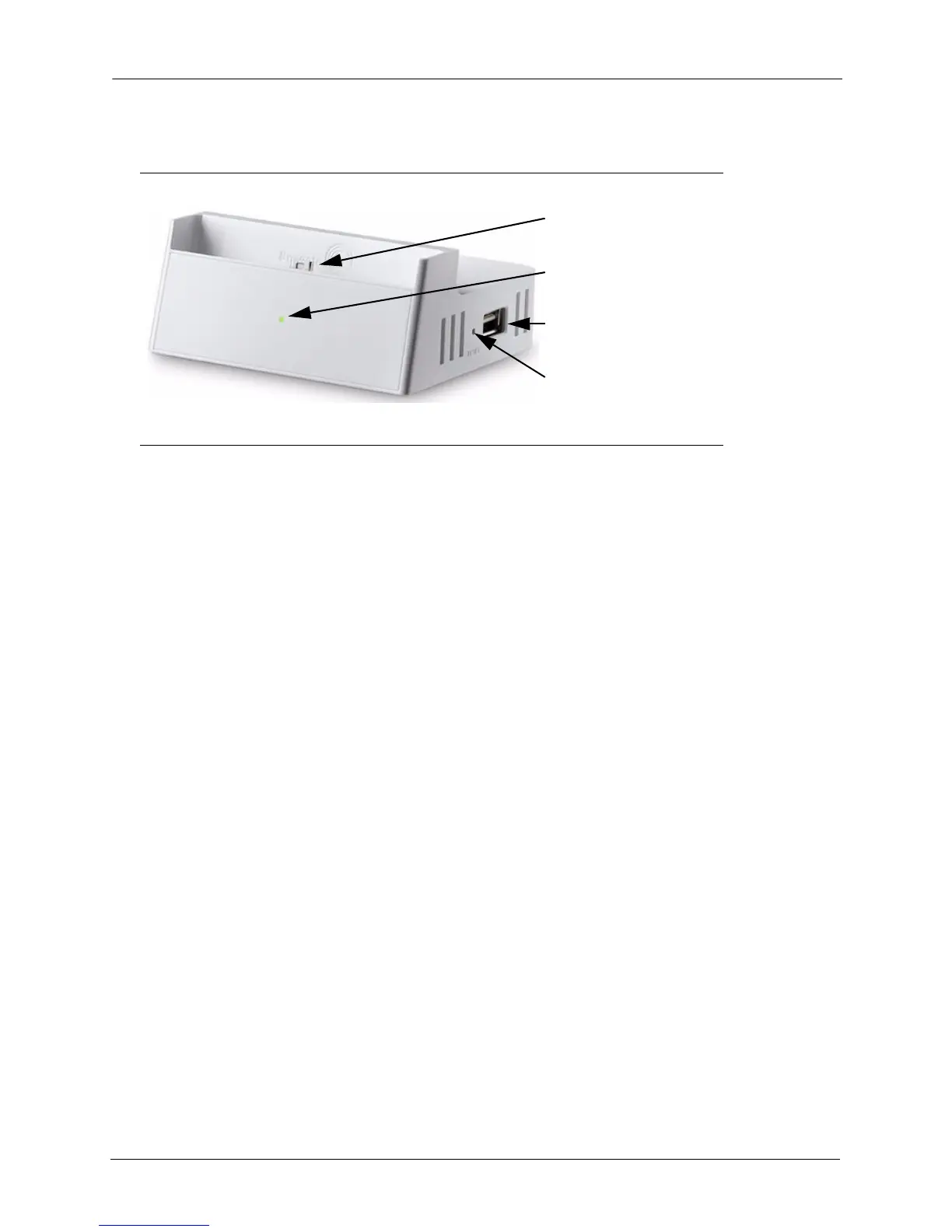
• FreeAgent Go drive dock: Convenient dock for your FreeAgent Go drive.
• LED: The light on the front provides information about its current state and notifies you
when you have a message.
• Green blinking: the DockStar network adapter is starting up.
• Green solid: the network adapter is on and connected to the service.
• Amber solid: the network adapter started but failed to connect to the service; no
Internet connection.
• Yellow blinking: There is a message for you. Sign in to your account to read the
message.
• USB port: Connect a USB 2.0 drive or other USB mass storage device.
• Reset button: Press this button if you need to restart the DockStar network adapter
(normally not necessary).
Insert a paper clip or other narrow device, and then press and release the button. The light
on the front blinks for about 40 seconds and then returns to solid green.
Figure 1: DockStar Network Adapter - Front View
FreeAgent Go drive dock
LED
USB port
Reset button



 To Next Page