2. INTRODUCTION
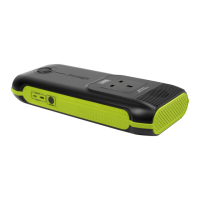
Poweredbylithium-iontechnology.Easilytsinagloveboxorbackpackanditbenetsfrombeingacompact,1.5kgleisureunit
which provides multiple high amperage outputs. This unit can also supply several full charges for smartphones (iPhone X;
seven charges, Samsung Galaxy Note; six charges) or two full charges for your tablet/laptop (based on an 8800Mah battery)
as well as many other devices. Supplied with both Micro USB and Type-C charging cables. Includes a small integral work light.
3. SPECIFICATION
Model No.: .......................................................................SPB160W
Dimensions (W x D x H):....................................263x115x40mm
Inputs: .....................................QC3.0 (1 x Micro USB, 1 x TYPE-C)
Outputs:...............230V~50HzAC(160WContinuous,320WPeak)
2x12V10ADC(120WMAX),StandardUSB5V/2.1A,QC3.0
(5V/2.1A,9V/2.1A,12V/1.5A),TYPE-Coutput(5V/2.1A)
Accessories:...MicroUSBCable(5V/2.1A),USBTYPE-C(9V/2.1A)
DC Car Plug-in Socket (12V/10A)
Charge Times: ........................................8hrs on TYPE-C (9V/2.1A)
13hrsonMicroUSB(5V/2.1A)
4. OPERATION
4.1. CHARGING THE POWER PACK
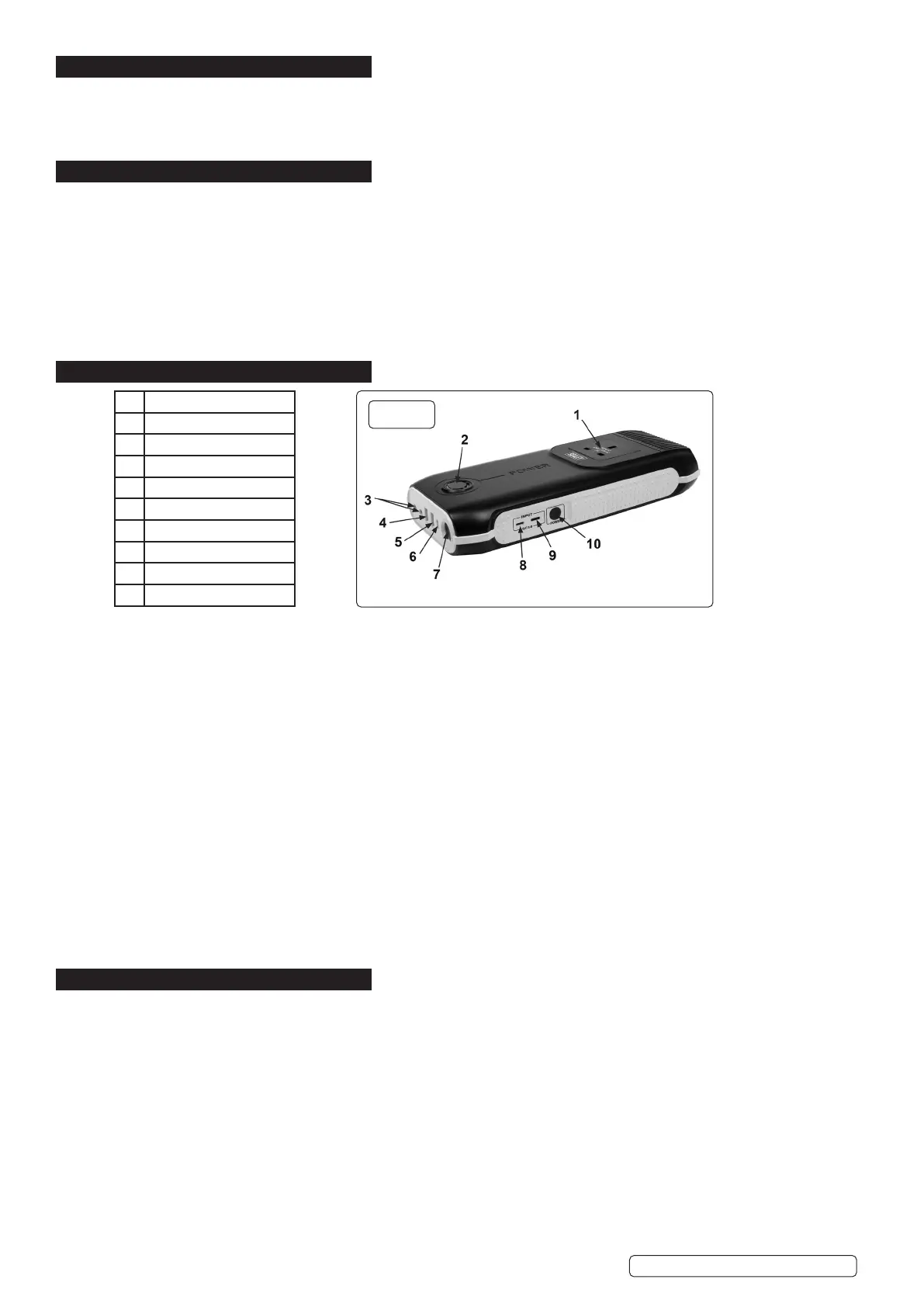
4.1.1. InserttheMicroUSBorTYPE-Ccableintotheunit’srelevantinputport(g.1.8,g.1.9).
4.1.2. Insert other end into either a USB wall charger (not supplied), a car accessory charger (not supplied) or the USB port on a computer
(not supplied).
4.1.3. Whilecharging,theLEDindicator(g.1.2),willdisplaybatterylevel.Onelightlitindicates0-20%,allvelightslitindicates100%.
4.1.4. Oncefullycharged,theunitwillswitcho.
4.2. USING THE POWER PACK
4.2.1. TochargeUSBdigitaldevices,selectappropriatecableforyourdevice.Plugthechargingcableintoeither5V/2.1A(g.1.4),QC3.0
(g.1.5)orTYPE-C(g.1.6)port.
4.2.2. Disconnect after use.
4.2.3. TousetheDC12Voutput,plugthecaraccessorysocketcableintotheDCoutputport(g.1.3)andinsertcharger(notsupplied)into
the accessory socket.
4.2.4. Disconnect after use.
4.2.5. PlugtheappropriatecableintotheACoutputport(g.1.1).
4.2.6. Pressandholdthepowerbutton(g.1.10)downfor3secondstoturnontheACoutput.
4.2.7. Whennishedwiththisfeature,pressandholdthepowerbutton(g.1.1)toturnotheACoutput.
4.2.8. Disconnect after use.
4.3. LED WORK LIGHT
4.3.1. Doublepressthepowerbutton(g.1.10)toturnLEDon.
4.3.2. Press the power button when LED is lit to change between three modes (Normal, SOS and Strobe).
4.3.3. DoublepressthepowerbuttontoturntheLEDo.
5. MAINTENANCE
5.1. After usage recharge the unit.
5.2. After charging / usage remove all cables / connections.
5.3. Use a clean, dry cloth to wipe down the unit after use.
5.4. ` Store in clean, dry environment with ambient temperature between 4
o
C and 30
o
C.
1 AC Output
2 LED Indicator
3 Dual 12V DC Output
4 5V/2.1AUSBOutput
5 USB Output (QC3.0)
6 TYPE-C Output
7 LED Light
8 Micro USB Input(QC3.0)
9 TYPE-C Input
10 Power button
g.1
SPB160W Issue 1 08/01/20
Original Language Version
© Jack Sealey Limited


 To Next Page
 Loading...